How to Optimize Blog Posts for SEO and Actually Rank
Learn how to optimize blog posts for SEO with actionable strategies. This guide covers everything from keyword intent to technical checks for higher rankings.
Before you write a single word of your next blog post, you need to lay a strategic foundation. This is the part everyone wants to skip, but it’s the most critical for SEO success. It all comes down to two things: finding what your audience is actually searching for and understanding why they're searching for it.
Getting this wrong is like building a house without a blueprint. Sure, you might end up with four walls and a roof, but it’s not going to be the house you envisioned, and it probably won’t stand for long.
1. Laying the Groundwork: Keyword Research & Search Intent
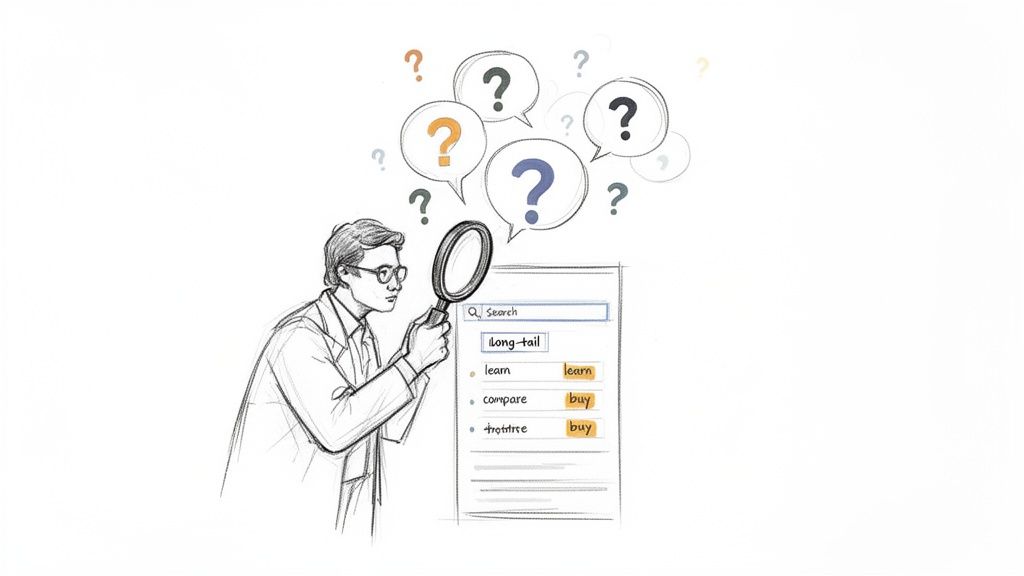
Real blog post optimization doesn’t start when you’re staring at a blank page. It starts with a bit of detective work. You need to get inside your audience’s head to ensure your content is positioned to win from the moment you hit publish. This all ties back to solid content marketing best practices that should underpin every piece you create.
I see so many writers make the same mistake: they pick a broad, high-volume keyword and just start writing. A much smarter play is to uncover the specific, long-tail questions your audience is asking. These longer, more conversational phrases usually have less competition and, more importantly, attract a highly motivated and qualified reader.
Think of it this way: someone searching for "running shoes" is just window shopping. But someone searching for "best trail running shoes for flat feet" is on a mission. They have a problem and are actively looking for a solution. Targeting that second query means you're meeting a very specific, urgent need.
Finding Keywords That Actually Matter
Your first job is to develop some empathy. Put yourself in your customer’s shoes. What’s keeping them up at night? What questions are they typing into Google?
- Start with broad ideas. Brainstorm the core themes related to what you do. If you sell project management software, your starting points might be "team collaboration," "task management," or "productivity."
- Lean on the tools. This is where platforms like Ahrefs or Semrush come in. Plug in your core themes and let them spit out hundreds of potential keywords. Zero in on the long-tail variations and the ones phrased as questions.
- Spy on your competition. Take a look at what keywords your top competitors are ranking for. This is a goldmine for finding opportunities they’re capitalizing on (or ones they’ve completely missed).
The goal here isn't just to hoard a list of keywords. It’s to build "topic clusters." This means creating a central "pillar" post on a broad topic, then surrounding it with several "cluster" posts that dive deep into related subtopics. This structure tells search engines that you’re an authority on the subject. For a closer look at structuring content this way, check out these content creation best practices.
Decoding What Searchers Really Want (Search Intent)
Once you have a solid list of keywords, you have to figure out the intent behind them. Why is someone searching for this phrase? Google is ridiculously good at deciphering this, so your content absolutely must align with what users are expecting to find.
Search intent is the "why" behind a search query. Matching it is probably the single most important ranking factor today. If your content doesn't give users what they came for, it doesn't matter how perfectly optimized it is—it won't rank.
To help you get this right, here’s a quick guide to matching your content format to what users are looking for.
Aligning Your Content with Search Intent
| Search Intent Type | Common Keyword Clues | Best Content Format |
|---|---|---|
| Informational | "how to," "what is," "guide," "tips," "tutorial" | Blog posts, step-by-step guides, infographics, videos |
| Commercial | "best," "review," "top 10," "comparison," "vs" | In-depth reviews, comparison articles, listicles |
| Transactional | "buy," "discount," "coupon," "price," "for sale" | Product pages, pricing pages, e-commerce category pages |
| Navigational | Brand names, product names, "login," "contact" | Homepage, product/service pages, about us page |
This table simplifies the process, but the best way to confirm intent is to just Google your target keyword yourself. Look at the top-ranking results. Are they blog posts? Product pages? Comparison articles? That’s your roadmap. Google is literally showing you the type of content it wants to rank for that query.
Get this right, and you’ll find that one great piece of content creates a ripple effect. Research shows that when a page ranks for one keyword, it often ends up ranking in the top 10 for nearly 1,000 other related keywords. It all starts with understanding and respecting the user's intent.
Writing Content People and Search Engines Actually Love
You've done the heavy lifting with keyword research and you know what your audience is looking for. Now comes the fun part—and the real challenge: writing something that people actually want to read and that search engines will want to rank.
High-quality content is everything. But let's be honest, "high quality" is a vague term. What it really means is creating content that is genuinely helpful, trustworthy, and engaging. Search algorithms have gotten incredibly smart at sniffing out content that provides real value versus articles that are just stuffed with keywords.
Your mission is to become the go-to resource for your topic. It's not about just listing facts you found on other blogs. You need to bring something new to the table—your own original insights, unique perspectives, or practical examples that make your post impossible to ignore.
Crafting Content That Connects
Here’s the secret: always write for your audience first and search engines second. When you focus on giving people clear, valuable information they can actually use, you naturally send all the right signals to Google, like longer time on page and lower bounce rates.
Start by sketching out a clear outline based on your keyword research. This isn't just busywork; it's your roadmap. It ensures you cover all the crucial subtopics and answer every question your reader might have. Think of your H2s and H3s as signposts guiding them through a logical story.
Most importantly, let your personality shine through. Generic, robotic content is a death sentence in a crowded space. Share a personal story, pull specific data from your own work, or offer a contrarian viewpoint that makes people think.
Pro Tip: Don't just tell—show. Use screenshots, custom graphics, or even short video clips to explain complex ideas. This makes your content way more engaging and proves you have real, firsthand experience with what you're talking about.
Weaving in Keywords Without Sounding Like a Robot
Keyword integration should feel completely natural. The days of awkwardly cramming your keyword into every other sentence are long gone, and doing so will actually get you penalized.
Instead, your primary keyword should pop up organically in a few key places:
- In the first 100 words: Get straight to the point. This tells both your reader and Google exactly what the article is about right from the start.
- Within your subheadings (H2s and H3s): Use your main keyword or close variations in headings where it makes sense. This helps create a clean, logical structure.
- Throughout the body copy: If you’ve researched your topic properly, the keyword and related terms will appear naturally as you write. Don't force it.
- Near the end of the post: A quick mention in your conclusion helps to neatly tie everything together and reinforce the post's main focus.
Remember, Google is also looking for LSI (Latent Semantic Indexing) keywords—these are simply words and phrases that are thematically related to your topic. For a post on "how to optimize blog posts for SEO," related terms would be things like "on-page SEO," "meta description," "search intent," and "content structure." For a deeper look at this, our guide on SEO copywriting best practices covers more advanced techniques.
Making Your Content Scannable and Easy to Read
Nothing scares a reader away faster than a giant wall of text. If you want people to stick around, you have to prioritize readability and make your content easy to skim.
Most people scan an article before they decide to read it. You need to break up your content so it’s easy on the eyes.
- Use super short paragraphs: Seriously, stick to one to three sentences max.
- Leverage headings: H2s for major sections, H3s for the points within them.
- Embrace lists: Use bullet points and numbered lists to make dense information digestible.
- Emphasize key takeaways: Use bold text to make important terms or stats pop.
This kind of structure doesn't just make your readers happy; it also helps search crawlers understand the hierarchy of your content, making it easier for them to index and rank.
At the end of the day, comprehensive, in-depth content usually wins. Research consistently shows that long-form posts generate 9 times more leads than short ones. Why? Because both users and search engines reward depth and expertise. By combining deep insights with a clean, reader-friendly structure, you create content that serves everyone perfectly.
Nailing Your On-Page SEO Checklist
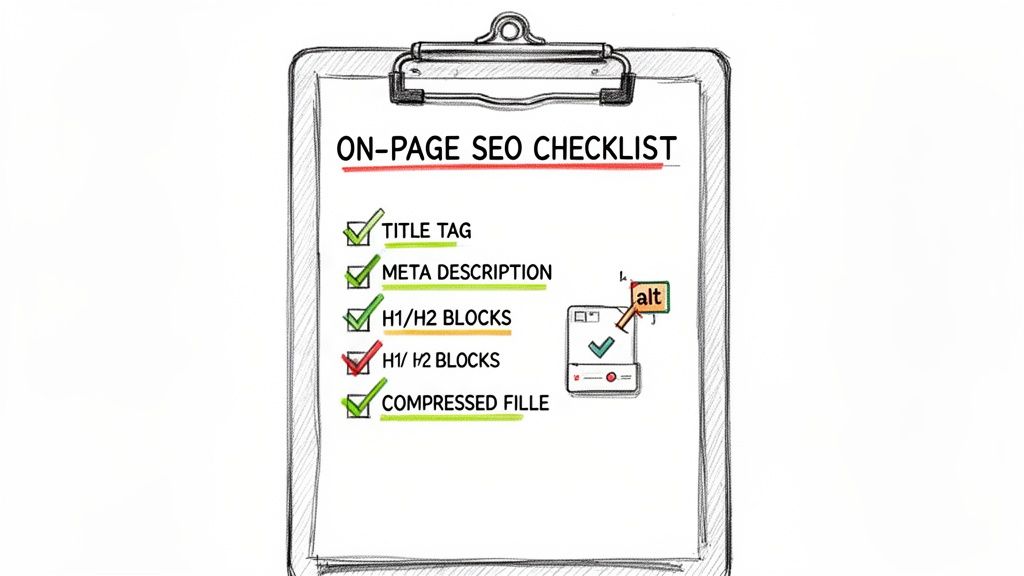
Alright, your content is written and ready to go. Now it's time to handle the technical details that tell search engines exactly what your blog post is about. This is your on-page SEO checklist—a handful of small but incredibly powerful tweaks that make a huge difference in how Google sees and ranks your work.
Think of these elements as the frame around your masterpiece. They give it structure, context, and make it much more appealing to both search engines and the people who will hopefully click on it. Getting this part right isn't optional; it's a core part of optimizing any blog post.
Crafting Magnetic Title Tags and Meta Descriptions
Your title tag is, without a doubt, one of the most critical on-page SEO factors. This is the blue, clickable headline people see in the search results. It's your first impression, and it has to do two jobs at once: grab a user's attention and clearly signal your topic to Google.
A great title tag starts with your primary keyword and stays under 60 characters so it doesn’t get awkwardly cut off. It’s your post's one-sentence pitch—make it compelling. For instance, a title like "Our New Blog Post" is a wasted opportunity. A much better version would be "How to Optimize Blog Posts for SEO: A Complete Guide."
Next up is the meta description, that little snippet of text living just below the title tag in the search results. While Google says it's not a direct ranking factor, our own analysis of over 5 million Google search results shows that a persuasive meta description can seriously boost your click-through rate (CTR).
Your meta description is your ad copy in the SERPs. Its job is to sell the click by promising a clear, valuable solution to the user's problem. Don't waste this prime real estate.
Keep it under 160 characters and use active, inviting language. Instead of a bland summary, try something like: "Learn the step-by-step process to optimize your blog posts for SEO. This guide covers everything from keywords to technical checks for higher rankings."
Structuring Content with Clear Header Tags
Header tags (H1, H2, H3, etc.) are your secret weapon for creating a clean, logical flow. They act like signposts, guiding both readers and search engine crawlers through the different sections of your article.
Basically, they form the outline of your post.
- H1 Tag: This is your main headline. You get one per page, and it must include your primary keyword.
- H2 Tags: Use these for the major subtopics. They’re a great place to weave in your primary keyword or related secondary keywords naturally.
- H3 Tags: These break down your H2 sections into more granular points, adding depth and making the content easier to scan.
This kind of clear structure isn't just good for readability. It helps Google understand the hierarchy and relationship between the different ideas in your content, which is a big deal for ranking well.
Optimizing Images and URLs for Discoverability
Every single image you add is another chance to boost your SEO. Since search engines can't "see" pictures, they rely on the information you provide to figure out what they are. That’s where alt text comes in.
Alt text is a short, descriptive sentence that explains what's in an image. It's essential for accessibility (helping screen readers describe images to visually impaired users) and gives search engines another contextual clue about your page. For the image in this section, a solid alt text would be "A sketch of an on-page SEO checklist on a clipboard."
Don't forget to compress your image files, too. Large files can kill your page load speed, and we know site speed is a ranking factor.
Finally, take a look at your URL. A clean URL slug should be short, descriptive, and contain your primary keyword. This makes it easier for both people and search engines to understand at a glance. Avoid those messy, auto-generated URLs full of dates and numbers.
For example, this is a great URL:yourwebsite.com/blog/how-to-optimize-blog-posts-for-seo
And this is a bad one:yourwebsite.com/blog/10-23-2024/post-id-9473-final-v2
Giving Your Post Authority with Links and Schema
Writing a fantastic blog post is just the first step. To really get it ranking, you have to think beyond the content on the page and focus on how it connects to the rest of your site—and the wider web. Two of the best ways to do this are with a solid internal linking plan and by implementing structured data, also known as Schema markup.
These two pieces work hand-in-hand. Internal links create a web that shows Google how all your content fits together, spreading authority across your site. Schema, on the other hand, is like a translator, helping search engines understand your content's specific purpose, which can lead to some seriously eye-catching results on the search page.
Weave a Strong Internal Linking Web
Internal linking is exactly what it sounds like: linking from one page on your website to another. It's a simple concept, but the impact is huge. A smart internal linking strategy helps search engines find your new posts faster, see the relationships between different topics, and pass authority from your well-established pages to your brand-new ones.
Imagine your website is a spiderweb. Every new post should be a new thread connecting to several existing ones, making the whole structure stronger.
Here's how to nail it:
- Link from new to old: While writing your new post, always look for natural places to link back to older, relevant articles. This is great for your readers and gives that existing content a little nudge.
- Link from old to new: This is the step most people miss, and it’s a game-changer. Once your new post is live, find 2-3 of your most powerful, relevant older posts and add a link to the new one. This sends a direct flow of authority right where you need it most.
- Use descriptive anchor text: Ditch generic phrases like "click here" or "read more." Your anchor text should tell both users and Google what the destination page is about. Instead of "check out our guide," try something like "our complete guide to on-page SEO."
A thoughtful internal linking strategy doesn't just help search engines; it keeps visitors on your site longer by guiding them to more helpful content. That increased dwell time is a massive signal to Google that people are having a great experience.
Stand Out in Search with Schema Markup
Schema markup is a bit of code you add to your website's HTML to help search engines understand your content on a deeper level. It won't directly make you rank higher, but it can unlock "rich snippets" in the search results—think star ratings, event details, or those handy FAQ dropdowns you see under a search listing.
For blog posts, the FAQPage Schema is incredibly useful. If your article answers a series of common questions, you can mark them up so they appear as an interactive list right on the search results page. This makes your result bigger, more engaging, and can seriously boost your click-through rate.
Another key one is the Article Schema. This explicitly tells search engines that the content is a blog post or news article, helping them pull details like the author, publish date, and headline for rich results.
While these on-site tactics are essential for building a solid foundation, attracting links from other high-quality websites is a critical part of the long game. To truly maximize your post's authority, you also need to incorporate strategies for effective link building into your promotion efforts.
Passing the Technical SEO and User Experience Test
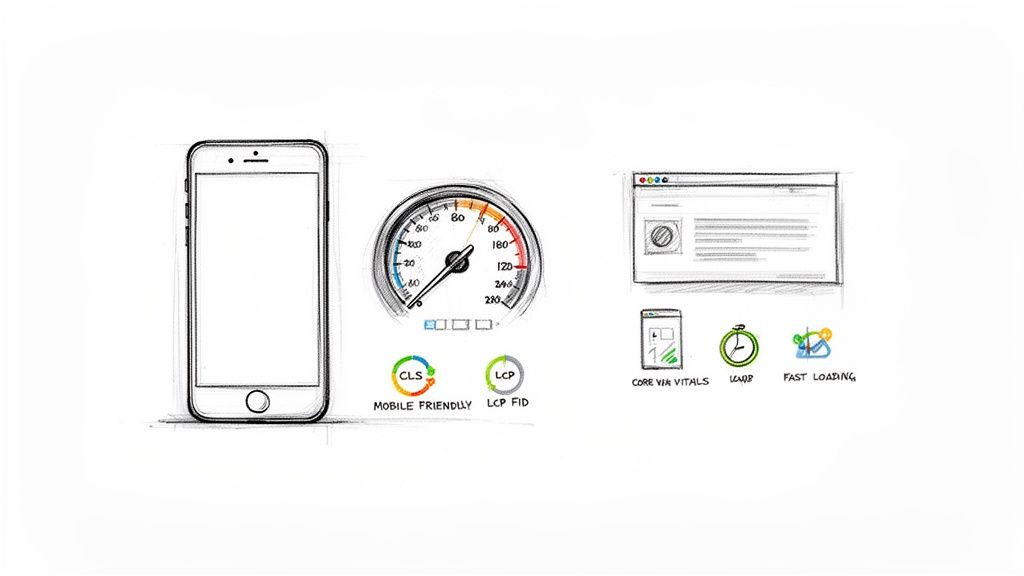
You can write the most brilliant, perfectly optimized post on the planet, but if the page takes an eternity to load or looks jumbled on a phone, all that hard work goes down the drain. Technical SEO and user experience aren't just for the dev team; they're a cornerstone of optimizing any blog post.
Think of it like this: your amazing content is the main course, but your site’s performance is the restaurant itself. If the service is slow and the tables are wobbly, nobody is going to stick around for the food, no matter how good it is. Google sees it the same way and heavily favors pages that deliver a fast, smooth experience.
Prioritizing Mobile Friendliness and Speed
With over 60% of all Google searches now happening on mobile devices, a mobile-first design isn't just a good idea—it's essential. This is where the user experience is most fragile. A shocking 53% of mobile users will bounce if a page takes more than three seconds to load.
Keep that three-second rule in mind. What's even more telling is that only about 33% of websites currently meet Google's Core Web Vitals standards, which leaves a massive opportunity for anyone willing to put in the effort. If you're curious, you can discover more insights about these web performance metrics and how much they matter.
The easiest way to see where you stand is to run your URL through Google's PageSpeed Insights tool. It gives you a clear score and, more importantly, a list of actionable things to fix.
Common culprits dragging down your speed are almost always the same:
- Massive images: Always compress your images before you upload them.
- Bloated code: Clunky JavaScript or CSS can bring your site to a crawl.
- Slow web hosting: The speed of your server is the foundation of your site's speed.
Fixing these isn't just about ticking a box for Google. It’s about showing your audience you value their time.
Mastering Your Core Web Vitals
Google’s Core Web Vitals are a specific set of metrics designed to measure the real-world user experience of your page. It’s not about abstract numbers; it’s about how a person actually perceives your site’s performance.
There are three big ones to focus on:
- Largest Contentful Paint (LCP): How long does it take for the main event—your biggest image or text block—to show up? You want this to be under 2.5 seconds.
- First Input Delay (FID): How quickly does your page react when someone clicks a button or taps a link? An ideal FID is less than 100 milliseconds.
- Cumulative Layout Shift (CLS): Does your page content jump around as it loads? This measures visual stability. A good CLS score is anything less than 0.1.
Improving these scores isn't just about appeasing a search engine. It’s about getting rid of things that frustrate real people. A low CLS score, for instance, stops users from accidentally clicking the wrong button because an ad suddenly popped in and shifted the whole layout.
Ensuring Your Post Can Be Found and Indexed
Once everything else is dialed in, you need to make sure search engines can actually find and understand your masterpiece. The moment you hit publish, head over to Google Search Console and use the URL Inspection tool to submit your new post.
This quick step not only gets you into the queue for indexing faster, but it also helps you spot any crawling roadblocks. One of the most common—and devastating—mistakes I see is a "noindex" tag accidentally left on a page. This little tag literally tells Google to ignore the page, making it completely invisible in search results. Always, always double-check your SEO plugin settings to make sure your posts are set to be indexed.
Getting Your Content Out There (and Keeping It Relevant)
Don’t make the mistake of thinking your job is done once you hit "publish." That’s actually just the starting line. The first 48 hours are your best shot at building some real momentum. Your immediate goal is to get your new, beautifully optimized post in front of the right people to show search engines it's a resource worth noticing.
I always start with the easiest wins. The first stop is my email list. These are your most dedicated readers, and they’re the perfect source for that initial wave of traffic. From there, I move to social media, but I never just drop a link and run. You have to craft a unique message for each platform—maybe pull out a surprising statistic for Twitter or ask a thought-provoking question on LinkedIn to get a conversation going.
Don't Let Your Best Content Go Stale
Here’s a hard truth: even your greatest hits will eventually fade. Information gets old, competitors will one-up you, and you’ll see those hard-earned rankings start to slip. This is where the magic of a "content refresh" comes in. Honestly, it's one of the most effective and efficient SEO tactics in my playbook.
Think about it. Why start from zero when you can build on what’s already working? Some businesses have seen traffic to a single post jump by over 100% just by updating it with fresh information and new images. It’s proof that optimizing what you already have delivers a massive return. Remember, companies that are serious about blogging get 97% more links to their sites, and updating old content is a huge part of that. You can discover more SEO stats and insights that really drive this point home.
So, how do you find the best candidates for a refresh? I spend a lot of time in Google Search Console looking for a few specific scenarios:
- Posts that used to be on page one but have slipped.
- Content that targets a high-value keyword but is just stuck on page two.
- Articles that get a ton of traffic but aren't converting visitors.
Once you’ve got your list, a refresh can be as simple as updating some stats and swapping out old screenshots. Or, you could go bigger by adding completely new sections. It’s also a perfect opportunity to explore different content repurposing strategies and turn that one update into a whole new set of assets.
Key Takeaway: Treat your content library like an investment portfolio. You wouldn't just buy stocks and never check on them, right? Regularly auditing and improving your old posts keeps them working for you, generating traffic and authority for years.
How to Know If It's Working
You can't fly blind. If you're not tracking your results, you’re just guessing. For this, Google Search Console (GSC) is non-negotiable—it needs to be your go-to tool.
After you publish a new post or refresh an old one, you should be living in GSC. I’m constantly checking key metrics like impressions, clicks, and especially the average position. Are more people seeing it in search results? Is your click-through rate (CTR) climbing? Are you ranking for keywords you weren't before? This data is your direct feedback from Google, telling you exactly what’s hitting the mark and what you need to tweak next time.
Got Questions? Let's Talk Blog SEO
Even with a solid checklist in hand, some questions always come up when you're in the trenches optimizing blog posts. Here are the answers to the ones I hear most often.
"How Long Until I Actually See Results From This?"
I get this one a lot. There's no single answer, but a realistic timeframe to start seeing meaningful movement is three to six months. It's a marathon, not a sprint.
If your website is brand new, it might take a bit longer to build up that initial trust with search engines. On the other hand, an established site with some authority can sometimes see improvements much faster. The key is to be consistent.
"What’s the Magic Word Count for a Blog Post?"
It's tempting to look for a specific number, and the data often points to longer content performing better. Posts that clock in over 2,000 words tend to rank higher simply because they have more room to cover a topic in-depth.
But here’s the thing: never add fluff just to hit a word count. The "ideal" length is whatever it takes to completely and thoroughly answer the searcher's question. If you can do that in 1,500 words, great. If it takes 3,000, do that.
My Two Cents: Focus on being the absolute best, most comprehensive resource for the query. A truly valuable 2,500-word guide will always beat a rambling, thin 3,000-word article.
"Is It Worth Going Back to Optimize Old Posts?"
Yes, one hundred percent. This is one of the most powerful, high-impact things you can do for your SEO. Think of it as easy wins waiting to be claimed.
Find posts that are already getting a little bit of traffic or that target an important keyword but are stuck on page two. Then, give them a full refresh.
- Are the stats, dates, and examples still relevant? Update them.
- Could you add a new section to make the post more complete?
- Can you add new internal links to and from the post?
- Have new keyword opportunities popped up that you could incorporate?
This strategy, often called a "content refresh," can deliver a significant traffic boost with a fraction of the effort it takes to create a new post from scratch. You're breathing new life into assets you already own.
Ready to turn your drafts into polished, SEO-friendly content? Rewritify helps you refine your writing to be clear, engaging, and original. Turn your ideas into high-ranking blog posts effortlessly at https://www.rewritify.com.
Relevant articles
Learn how to optimize content for SEO with this actionable guide. Master keyword research, on-page optimization, and content strategy to boost your rankings.
Discover the top 10 SEO copywriting best practices for 2025. Learn to craft content that ranks higher, engages users, and converts with our expert guide.