How to Improve Presentation Skills: Practical Guide for Captivating Audiences
Discover how to improve presentation skills with practical steps on structure, design, and confident delivery that engage any audience.
Before you even think about opening PowerPoint, the real work begins. The difference between a presentation that lands and one that falls flat is all in the preparation. It's about building a solid foundation by figuring out your single core message and then wrapping a compelling story around it.
Building the Foundation of a Powerful Presentation
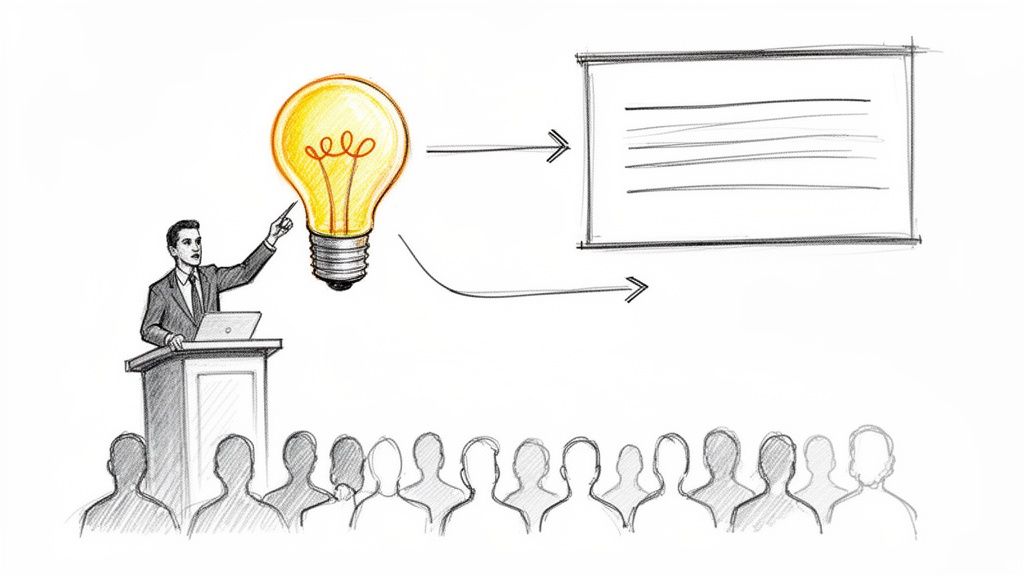
A great presentation isn't just a collection of facts or a "data dump." It's a guided conversation, meticulously planned to lead your audience to a specific conclusion. This whole process starts by answering one simple but crucial question: What’s the one thing I absolutely need my audience to walk away remembering?
This "Big Idea" is your North Star. Every single story you tell, every chart you show, and every word you speak should reinforce this central theme. Without it, you're just throwing information at people, hoping something sticks—and it rarely does.
Find Your Core Message First
To nail down your core message, you have to start with the end in mind. Think about who you're talking to and what you need from them.
- Who is my audience? Are you talking to investors who live and breathe hard numbers, or a team of creatives who will respond to a powerful vision? Tailor your message to their world.
- What do I want them to do? Is the goal to get a budget approved, convince the team to adopt a new process, or just help them understand a complex topic? Be crystal clear on your objective.
- Why should they care? This is the most important part. You have to connect your message directly to their goals, their pain points, or their ambitions.
Once you’ve got solid answers, boil it all down into one sharp, memorable sentence. This is very similar to the skill needed to craft a powerful summary, which you can learn more about in this guide on how to write executive summaries.
For instance, a founder pitching for investment might land on a core message like: "Our AI logistics platform cuts shipping errors by 30%, unlocking a massive, untapped market." Every slide that follows must exist only to prove that one statement.
Structure Your Narrative for Impact
With your core message locked in, you need a story to bring it to life. One of the most effective storytelling frameworks I've used is the Problem-Agitate-Solve (PAS) model. It's a simple, persuasive arc that just works.
You start by introducing the Problem your audience is grappling with. This creates an instant sense of shared understanding. A marketer, for example, could open by highlighting the industry-wide decline in social media engagement.
Next, you Agitate that problem. Don't just state it; make them feel it. Show the consequences. That same marketer could present data showing how low engagement directly leads to weaker brand visibility and lost sales.
Finally, you deliver the Solution. This is where your core message takes center stage. You position your idea as the clear, logical, and compelling answer to the problem you've so vividly detailed.
A presentation’s success is rarely determined by the quality of the slides but by the clarity of its foundational message. When the core idea is strong, every other element naturally falls into place.
This structured approach is non-negotiable. Communication isn't just a "soft skill"; it's a power skill. The data backs this up—a staggering 90% of professionals in a global survey agree that these abilities help them work smarter. What's more, LinkedIn's own data consistently ranks communication among the top five most in-demand skills. Getting your narrative right is one of the highest-leverage things you can do for your career.
Designing Slides That Enhance Your Message
Think of your slides as the backup singers for your main performance. They’re there to support and amplify your voice, not steal the spotlight. The single biggest mistake I see presenters make is turning their slides into a giant teleprompter. When you do that, you force your audience to choose: read the wall of text, or listen to you. They can’t do both.
Effective slide design is all about creating visuals that clarify and reinforce what you’re saying. The goal is to make each slide so intuitive that your audience gets the point in a few seconds, then immediately brings their full attention back to you. When your words and visuals are in sync, comprehension skyrockets.
Embrace Simplicity and the Rule of Six
An overwhelmed audience is an audience that won’t remember a thing. The real secret to powerful slide design is restraint. A fantastic guideline to live by is the "Rule of Six": aim for no more than six words per line and no more than six lines per slide.
This isn't just some arbitrary rule; it’s based on how our brains actually process information. Research from platforms like Visme.co shows that people need about six seconds to scan a slide with 20-25 words. By keeping your slides lean, you're working with your audience's natural cognitive flow, not against it.
Here’s how you can put this into practice immediately:
- One Idea, One Slide: If you have three distinct points to make about a topic, give each one its own slide. This keeps the focus razor-sharp.
- Keywords, Not Sentences: Ditch the full sentences. Your job is to provide the narrative and context out loud. The slide just needs to show the core keyword or phrase.
- Visuals Beat Text: Can you show it instead of saying it? A high-quality photo, a simple chart, or a clean icon is almost always more powerful than a bullet point. Looking at different examples of visual imagery is a great way to get ideas for turning abstract concepts into concrete visuals.
Use Visual Elements Strategically
Great design isn’t just about deleting text. It's about consciously using every element on the slide to guide your audience's attention and create a polished, cohesive experience.
Whitespace is Your Friend
Whitespace (or negative space) is just the empty area around your text and images. Don't be afraid to use it generously! A crowded slide feels chaotic and is genuinely difficult to read. Plenty of whitespace, on the other hand, gives your content room to breathe, making it feel more organized and elegant. It's the simplest way to direct the eye right to your most important point.
Typography and Color Matter
Your font and color choices have a huge impact on readability and the overall mood of your presentation.
- Fonts: Stick to two fonts maximum—one for your headlines and one for any supporting text. You can't go wrong with clean, sans-serif fonts like Helvetica, Arial, or Calibri, which are designed for maximum readability on screens.
- Color Palette: A consistent color scheme of three to five colors is plenty. Use your brightest, most vibrant color as an accent to make key data points or calls to action pop.
The best slides don't just present information; they create an experience. They are designed to be felt and understood instantly, freeing the audience to connect with the speaker's story.
To see how these principles can completely change a slide, let's look at a quick before-and-after.
Transforming Your Slides From Cluttered to Clear
Here's a side-by-side look at how applying these simple design rules can take a slide from confusing to crystal clear.
| Design Element | Before (What to Avoid) | After (Best Practice) |
|---|---|---|
| Text Content | A full paragraph explaining market growth trends and competitor analysis, with multiple bullet points listed below. | A single, bold headline: "Market Grew 15% in Q3" |
| Visuals | No visuals, just a wall of text on a standard template background. | A simple bar chart clearly showing the 15% growth, with the key competitor's bar in a contrasting color for emphasis. |
| Layout | Text fills the entire slide from edge to edge, leaving no room for the content to breathe. | The headline is at the top, the chart is centered, and there is significant whitespace around all elements. |
The "after" version gets the main idea across in a split second. The audience sees the growth, gets the point, and their attention is immediately back on you. Now you’re free to explain the nuances of the competitor analysis and what those trends really mean. That’s how you design slides that work for you, not against you.
Mastering Your Voice and Body Language
Let’s be honest: even a brilliant idea with gorgeous slides can fall completely flat if the delivery is off. How you use your voice and your body is the final, crucial piece of the puzzle that decides if your message is just heard or actually felt. This is where we get past the content and into the human element of your physical presence.
Great delivery isn't about becoming a dramatic actor; it’s about being intentional. A flat, monotone voice can drain the life out of the most exciting topic. In fact, research shows that audiences see speakers with more vocal variety as more competent and credible. Your voice is a powerful tool—use it to guide your audience's attention and emotion.
Map Your Vocal Delivery
Instead of just talking at your audience, think of your voice as a tool to guide them on a journey. A powerful technique I've found incredibly effective is vocal mapping, which just means you plan your vocal delivery with the same care you plan your content. You decide ahead of time where to shift your tone, speed, or volume to make a point land perfectly.
Here’s how you can put it into practice:
- Pacing for Emphasis: When you get to a key statistic or a critical takeaway, slow right down. This simple change sends a clear signal to the audience: "Hey, this part is important. Listen up."
- Volume for Emotion: Lowering your voice to almost a whisper can draw everyone in, creating intimacy or suspense. On the flip side, raising your volume can inject excitement and urgency exactly when you need it.
- The Power of the Pause: The pause is probably the most under-utilized weapon in a speaker's arsenal. A well-timed pause right before you reveal the solution, or just after you ask a rhetorical question, builds anticipation. It also gives people a moment to actually think.
Think about how the tone of voice in writing translates to speaking. A formal report would have a steady, measured vocal tone, while a persuasive pitch would be full of dynamic highs and lows.
This is where simple, clean slides become your best friend. They allow your delivery to do the heavy lifting.
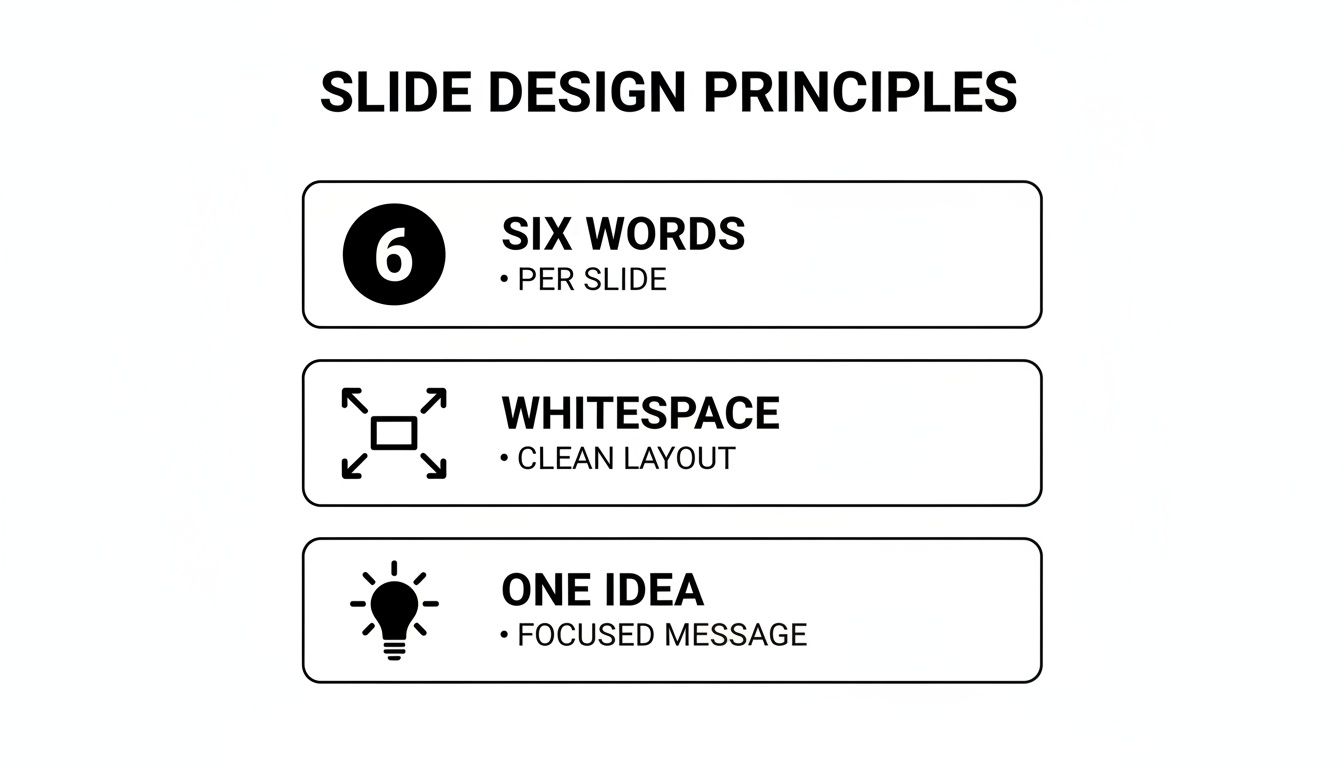
When your slides act as a clean backdrop—with minimal words and plenty of whitespace—the focus naturally shifts back to you, where it belongs.
Command the Stage with Purposeful Movement
Generic advice like "stand up straight" doesn't really help, does it? What you need is a strategy for moving in a way that looks confident and in control, not just anxious. The secret is making every move intentional.
A fantastic method for this is the "speaker's triangle." Just imagine three points on the stage: one in the center, one to your left, and one to your right. When you transition to a new major topic, physically move to a different point on that triangle. This structured movement adds a dynamic feel to your presentation and visually punctuates your main ideas.
Your hand gestures should also have a purpose. Ditch nervous habits like fidgeting or stuffing your hands in your pockets. Instead, use them to illustrate what you're saying—count off points on your fingers, spread your hands wide to describe a big concept, or bring them together to show synergy.
Your non-verbal cues often speak louder than your words. When your body language is open, confident, and aligned with your message, you build an unspoken layer of trust and credibility with your audience.
This alignment is everything. For more on this, many of the principles in these 7 Essential Interview Body Language Tips are directly applicable to delivering a killer presentation.
Build Connection Through Eye Contact
Finally, nothing forges a connection faster than genuine eye contact. Don't just sweep your gaze across the room. Make a conscious effort to actually connect with individual people.
Try this: hold eye contact with one person for a full sentence or a complete thought (around 3-5 seconds is perfect). Then, gently shift your gaze to someone in a different part of the room. This simple technique makes each person feel like you're speaking directly to them, turning your monologue into something that feels more like a conversation.
Mastering these delivery skills is all about practice. Record yourself presenting and then watch it back—with the sound off—to see what your body language is really saying. The more you build this muscle memory, the less your delivery will feel like a performance and more like a natural, authentic part of your message.
Rehearsing for Confidence, Not Memorization
Here’s a hard truth: great presentations aren't born from a last-minute flip through your notes. They’re built through practice. But I don't mean memorizing a script word-for-word—that’s a surefire way to sound robotic.
The real goal of rehearsing is to internalize your core message so deeply that you can talk about it conversationally. You want to move from being someone reading slides to someone who truly owns the material. When you know your subject inside and out, you free up mental space to actually connect with your audience, make eye contact, and adapt on the fly.
Master Your Content with the Chunking Technique
Staring at a 30-minute presentation and thinking "I have to nail this all at once" is a recipe for overwhelm. Instead, use a strategy called chunking.
Break your presentation down into smaller, logical sections. Think of them as mini-presentations—maybe your intro, your three key points, and your conclusion.
Now, focus on mastering just one chunk at a time. Rehearse that first section until you can deliver its main ideas without gluing your eyes to your notes. Once you're comfortable, move on to the next one. This method builds momentum and makes the whole process feel much more manageable. After you’ve got each piece down, start stitching them together, paying close attention to the transitions. This is how you build a strong, cohesive narrative.
Use Technology to Become Your Own Coach
This next tip can feel a bit awkward, but it's one of the most powerful things you can do: record yourself. Prop up your phone or use your webcam and run through the entire presentation as if the room were full.
Watching the playback gives you the kind of objective feedback you just can't get otherwise. You'll immediately spot verbal tics you never knew you had, like saying "um" or "like" between every sentence. You'll see where your energy dips, where your pacing is off, or if your hands are doing something distracting.
Rehearsal isn't about achieving perfection; it's about building familiarity. The more familiar you are with your material, the more confident you'll feel, and that confidence is what your audience will remember.
This self-awareness is your first step toward real improvement. Run through it two or three times, and with each take, pick just one or two things to work on.
Create an Effective Feedback Loop
Practicing alone is crucial, but getting another person's perspective is priceless. The trick is to avoid asking vague questions. If you ask, "How was it?" you'll almost always get a polite, "It was good!"
To get feedback you can actually use, you need to guide your reviewer.
Ask specific, targeted questions like:
- "What was the single biggest idea you took away from this?" (This tells you if your main point is landing.)
- "Was there any point where you got confused or started to tune out?" (This pinpoints weak spots.)
- "How was my pacing? Did I rush through the data section too quickly?" (This gives you direct notes on delivery.)
This structured approach is how the pros sharpen their skills. It's why more than half of all Fortune 500 companies, including Google and Amazon, offer in-house Toastmasters clubs for their teams. They know that a safe space for practice and feedback is a direct investment in performance.
Ultimately, building this kind of confidence is a journey. For many, that path involves actively overcoming fear of public speaking. Rehearsing consistently in a supportive setting is one of the best ways to transform nervous energy into a powerful stage presence.
Handling Questions and Unexpected Challenges
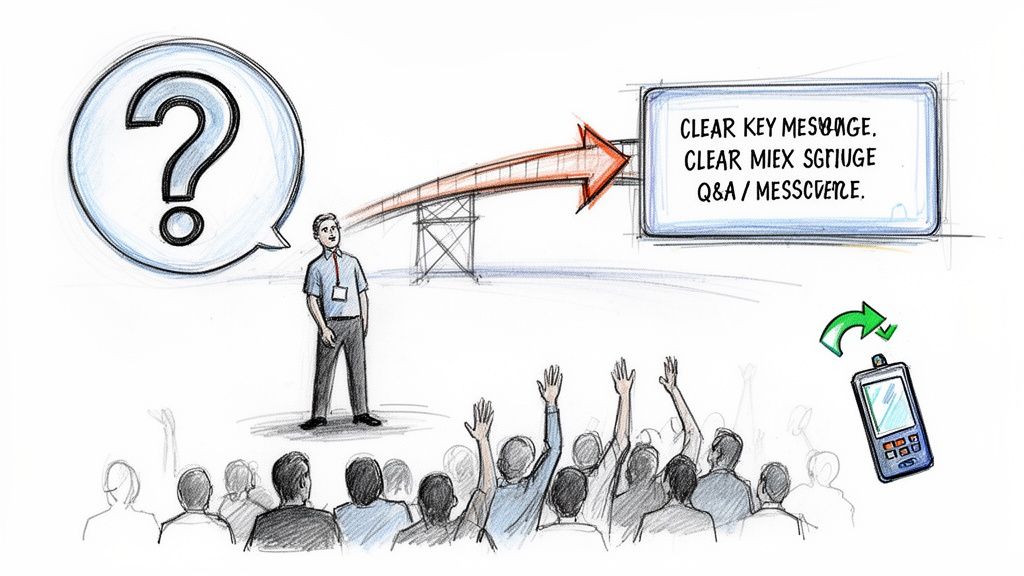
Your presentation doesn't just stop when you say "thank you." The Q&A that follows is where the real connection happens. It's your last chance to drive your point home, clear up any confusion, and prove you genuinely know your stuff.
A lot of speakers get nervous about the Q&A, picturing tough questions, awkward silences, or even getting stumped. But if you shift your mindset and do a little prep work, you can turn this part of your talk into the most memorable and impactful moment.
Anticipate and Prepare for Questions
The best way to feel confident during a Q&A is to walk in already knowing what’s coming. Don't leave it up to chance. As you rehearse, put on your audience's hat and think about every single question they might throw at you.
Get inside their heads:
- What parts of my talk might be controversial or a bit confusing?
- Is there any data I shared that someone might want me to elaborate on?
- What are the real-world implications of what I’m proposing?
- What are the obvious counterarguments or weak spots in my position?
Jot these down and sketch out clear, concise answers for each one. You’re not trying to memorize a script—that always sounds robotic. Instead, you're just organizing your thoughts so you can respond with confidence when the pressure is on. This is a pro-level move for anyone serious about how to improve presentation skills.
Gracefully Navigate Difficult Questions
Sooner or later, you're going to get that question. It might be hostile, completely off-topic, or just designed to make you squirm. How you handle it says everything about your credibility and composure. My go-to strategy here is the "bridge" technique.
It’s a simple three-step process:
- Acknowledge: Show you're listening with a quick, polite nod to their point. Something as simple as, "That's an interesting perspective," or "I appreciate you asking that," works perfectly.
- Bridge: Use a transitional phrase to pivot back to your main message. I often use lines like, "What's really at the heart of this issue is..." or "That actually brings up a bigger point about..."
- Message: Land firmly back on one of your key takeaways. This lets you steer the conversation back to your area of expertise and control the narrative.
Using this method, you can address the questioner without getting pulled into the weeds, keeping you firmly in command of the room.
The point of a Q&A isn't to win a debate; it's to continue the conversation you started. How you handle the heat often says more about your credibility than the specific words you use.
Recovering from Onstage Mishaps
Beyond tough questions, things can just go wrong. Tech fails. You blank on what you were about to say. The fire alarm goes off (it happens!). The secret to recovering is a simple mantra: Acknowledge, Address, and Advance.
Scenario: Your Slides Freeze
- Acknowledge: Just say it out loud, calmly. "Looks like we've got a little technical glitch." Your audience will follow your lead, so if you're not panicking, they won't either.
- Address: If you think it's a 10-second fix, try it. If not, don't let everyone watch you struggle with a laptop.
- Advance: Just move on. "While they get that sorted, let me tell you about..." This is where knowing your material cold really saves you. The slides are a bonus, not a crutch.
Scenario: You Lose Your Place
- Acknowledge: It’s okay—you’re human. The best thing to do is just own the moment. Take a deliberate pause, have a sip of water, and look at your notes.
- Address: You can even say, "Let me just find my place for a moment." This shows control, not weakness.
- Advance: Find a keyword or the last point you remember and jump back in with confidence.
Handling these moments with a bit of grace—and maybe even a little humor—can actually make the audience like you more. It shows them you're adaptable and can think on your feet, which is what a truly great presenter does.
Got Questions? We’ve Got Answers.
Even the most seasoned presenters run into questions. Think of this as your personal cheat sheet for some of the most common hurdles you'll face on the road to becoming a better speaker. Let's get them sorted.
How Do I Get Over My Fear of Public Speaking?
First, let's reframe what’s happening in your body. That racing heart and those sweaty palms? That’s not fear—that’s excitement. Your body is simply gearing up for a big moment, and you can channel that energy into a dynamic delivery instead of letting it paralyze you.
Stop focusing on yourself. Seriously. The moment you shift your attention from "How do I look?" to "What value can I give this audience?" the anxiety starts to melt away. You’re there to serve them, not to perform perfectly. This simple mental flip can be a game-changer.
Of course, nothing beats solid preparation. Start by rehearsing in front of a mirror, then maybe a trusted friend, and work your way up. Right before you go on, take a few deep, slow breaths. It’s a simple trick, but it really does calm the nervous system. And remember, the audience is on your side. They showed up because they want to hear what you have to say.
What Are the Biggest Presentation Mistakes I Should Avoid?
I’ve seen the same handful of mistakes derail countless presentations. The good news? They're all completely avoidable once you know what to look for.
Here are the top five traps to sidestep:
- The Wall of Text: This is, without a doubt, the number one sin of slide design. If your slides are packed with text, your audience is forced to choose: read the slide or listen to you. They can’t do both.
- Reading from Your Notes: When you’re constantly looking down, you break any and all connection with the people in the room. It screams "I'm not prepared," and makes your delivery feel stiff and disengaged.
- The Monotone Drone: A flat voice is the fastest way to put an audience to sleep. You have to vary your pitch, speed, and volume to keep people hooked and to signal which points are most important.
- Bad Time Management: Nothing looks more unprofessional than racing through your last 10 slides or going way over your allotted time. It disrespects your audience and your message.
- A Generic, One-Size-Fits-All Message: If you haven’t tailored your examples and language to the specific group in front of you, you’ve missed a huge opportunity to connect. What does this audience care about?
How Much Time Should I Really Spend Preparing?
Here’s a great rule of thumb I’ve always followed: the 10-to-1 ratio. For every one hour you'll be on stage, you should put in at least 10 hours of prep work.
Yes, that sounds like a lot. For a critical 20-minute presentation, that's over three hours of work. But this time isn’t just about writing. It’s the whole package: researching, structuring your story, designing visuals, and—most critically—rehearsing.
Preparation is the bedrock of confidence. You don't rehearse until you get it right; you rehearse until you can't get it wrong.
This is what allows you to be truly present with your audience instead of just mentally reciting a script. Aim to run through your entire talk, start to finish, at least five to seven times. This builds the muscle memory you need to handle any curveballs with grace.
What Are Some Good Icebreakers That Don't Feel Cheesy?
The best icebreakers aren't about telling a canned joke. They’re about creating an authentic connection right from the start. Your goal is to be relevant and get people engaged immediately.
Try one of these simple but powerful approaches:
- Ask a Relevant Question: Get the room involved instantly with a quick show of hands. "How many of you have ever struggled with finding the right data for a report?" It creates an immediate sense of shared experience.
- Share a Surprising Stat: A startling fact related to your topic can snap an audience to attention. "Did you know that teams who communicate effectively are 25% more productive?" This immediately proves your topic is worth their time.
- Tell a Quick, Personal Story: Nothing humanizes you faster than a short, relatable anecdote. Starting with, "The first time I had to present to a CEO, I made one huge mistake..." is far more compelling than a formal, boring introduction.
The key is to avoid anything that feels forced. A good icebreaker should feel like the natural start to a great conversation.
Crafting clear, compelling content is the first step toward a great presentation. When you need to refine your script or notes into polished, human-quality text, Rewritify can help. Our AI-powered tool enhances readability and ensures your message is both clear and original. Visit https://www.rewritify.com to see how you can transform your drafts in a single click.
Relevant articles

Discover differences between formal and informal writing, with practical tips, examples, and syntax cues to choose the right tone every time.