10 Technical Writing Best Practices to Master in 2026
Elevate your documentation with these 10 technical writing best practices. Learn to improve clarity, structure, and user engagement for any audience.
In a world driven by complex technology, the ability to communicate intricate ideas with absolute clarity is a superpower. Effective technical writing serves as the critical bridge between innovation and adoption, ensuring that users, developers, and stakeholders can understand, use, and build upon new tools and systems. Poor documentation leads to frustrated users, costly support tickets, and slowed progress.
Many guides, however, offer generic advice that falls flat in practice. This article cuts through the noise. We will explore 10 specific, actionable technical writing best practices that go beyond the basics, offering fresh perspectives and practical implementation steps you can apply immediately.
From mastering audience-centric messaging and consistent terminology to leveraging purpose-driven structures and iterative refinement, these strategies will equip you to create documentation that is not just accurate, but genuinely helpful and engaging. Whether you are a student, content marketer, or business professional, mastering these techniques will elevate your communication. This guide provides a clear roadmap to transforming dense drafts into polished, user-friendly content that empowers your audience and achieves its goals. Let's dive into the core principles that define exceptional technical communication.
1. Clarity Over Complexity
The cornerstone of effective technical writing is prioritizing clarity over complexity. This fundamental practice involves using simple, direct language and straightforward sentence structures to explain technical concepts. The goal is to make information accessible to the widest possible audience, regardless of their prior expertise, without sacrificing accuracy. This approach ensures that the reader's cognitive load is spent understanding the core concepts, not deciphering convoluted prose.
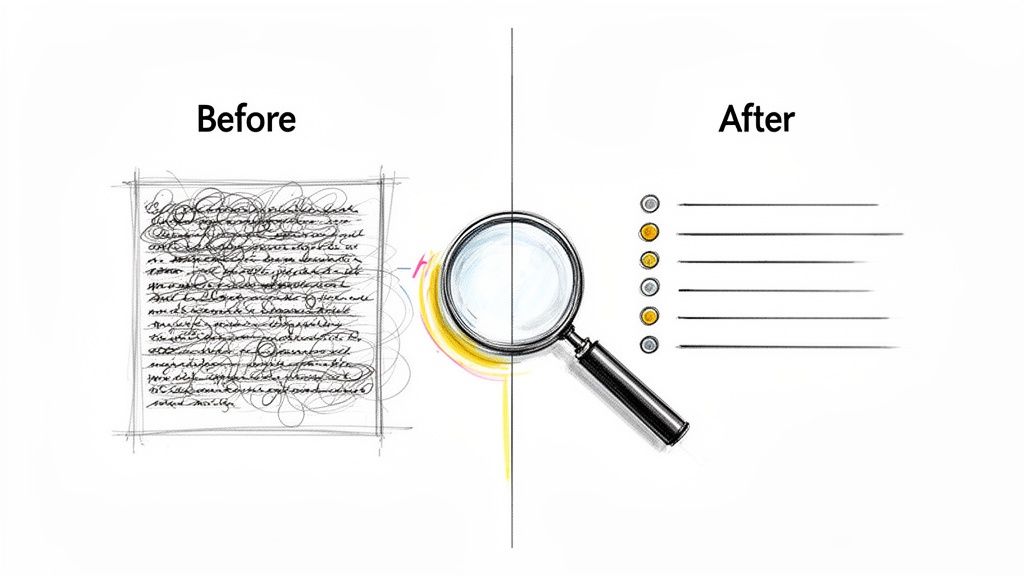
This principle is championed by industry leaders like Google, whose technical writing courses emphasize simplicity, and Apple, known for its user-friendly product documentation that explains sophisticated technology in plain terms. The core benefit is enhanced comprehension, leading to fewer user errors, reduced support inquiries, and a more positive user experience.
How to Implement This Practice
- Embrace the Active Voice: Write sentences where the subject performs the action (e.g., "The system processes the data" instead of "The data is processed by the system"). This makes your writing more direct and energetic.
- Define Jargon Immediately: If you must use a technical term, define it in simple language the first time it appears. Don't assume your reader knows what an acronym or specialized term means.
- Keep Sentences Short: Aim for an average sentence length of 15-20 words. Break down complex, multi-clause sentences into two or three shorter ones for easier digestion.
By focusing on clear communication, you ensure your documentation serves its primary purpose: to inform and enable the user. For more strategies on crafting accessible content, explore these tips for making your writing easy to understand.
2. Consistent Terminology and Glossary Management
One of the most crucial technical writing best practices is maintaining consistent terminology. This systematic practice involves using the exact same terms for the same concepts throughout all documentation and managing a centralized glossary. When readers encounter identical vocabulary for identical ideas, it eliminates ambiguity, reduces cognitive strain, and builds a solid foundation of understanding. This is especially vital in multi-author projects and extensive documentation suites where inconsistencies can easily arise.
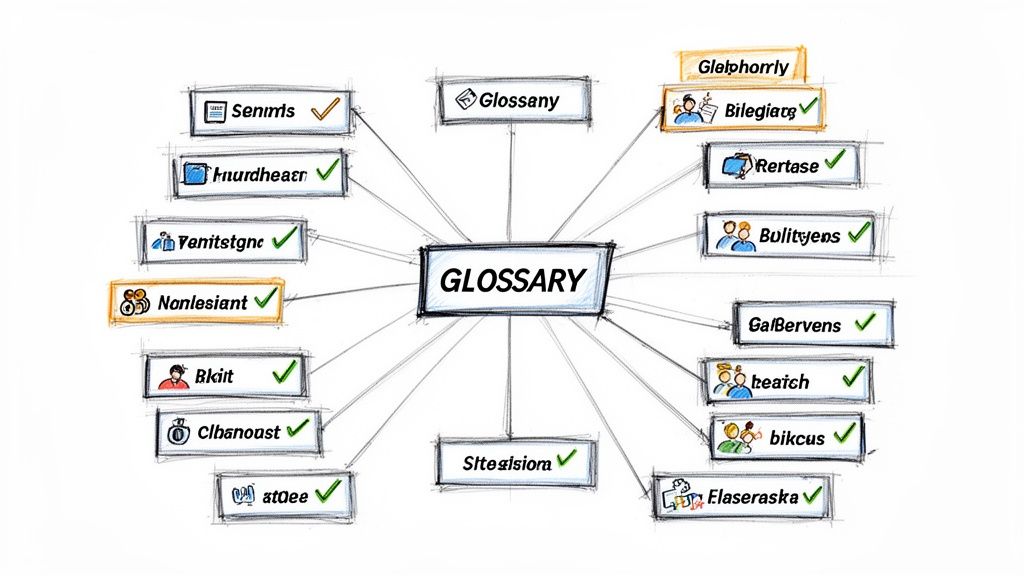
This principle is rigorously applied by organizations where precision is paramount. For example, Microsoft's terminology databases ensure that concepts are described identically across its vast product ecosystem, from Windows to Azure. Similarly, NASA maintains strict glossaries for space missions to prevent catastrophic misunderstandings. The primary benefit is the creation of a unified, authoritative voice that inspires reader confidence and dramatically reduces the potential for confusion or error.
How to Implement This Practice
- Create a Master Glossary: Develop a single, shared document that defines all specialized terms, acronyms, and project-specific jargon. Make this the source of truth for all writers.
- Establish Acronym Rules Early: Before starting a large project, decide how and when acronyms will be introduced and used. A common rule is to spell out the full term on its first appearance, followed by the acronym in parentheses.
- Perform Consistency Checks: Use your word processor's search function (Ctrl+F or Cmd+F) to find all instances of a key term before finalizing a document. This helps you spot and correct variations.
- Review Terminology Collaboratively: At the beginning of any team project, hold a meeting to agree on key terms. This proactive step prevents inconsistencies from taking root in the first place.
3. Audience Analysis and Tailored Messaging
One of the most crucial technical writing best practices is understanding who you are writing for and tailoring your message accordingly. This involves analyzing your target audience's background, knowledge level, and goals to deliver content that is relevant, useful, and easy to understand. A document written for a novice user will differ significantly from one intended for an expert engineer, even if the core topic is the same.
This principle is effectively demonstrated by companies like GitHub, which offers separate documentation paths for beginners and advanced developers. Similarly, HubSpot provides marketing resources at various complexity levels to cater to both new and experienced professionals. The primary benefit is increased user engagement and success, as the content directly addresses the reader's specific needs and questions, preventing confusion and frustration.
How to Implement This Practice
- Create Audience Personas: Before writing, develop detailed profiles of your target readers. Consider their job roles, technical expertise, and what they want to achieve with the documentation.
- Segment Your Content: For broad audiences, create distinct sections or documents. Provide foundational background information and step-by-step guides for novices, while offering quick-reference guides and API details for experts.
- Adjust Your Tone and Vocabulary: Use simple, explanatory language for beginners. For professional audiences, you can use industry-standard terminology, but always prioritize clarity.
By deeply understanding your audience, you create documentation that empowers them. For more guidance on adjusting your communication style, discover how to refine your tone of voice in writing.
4. Structured Information Architecture and Hierarchy
A cornerstone of technical writing best practices is creating a structured information architecture. This involves organizing content into a logical hierarchy with consistent headings, sections, and subsections. The goal is to guide readers through complex information progressively, making it easy for them to locate specific details and understand the relationships between different concepts. A well-designed architecture acts as a roadmap for your reader.

This principle is expertly demonstrated by organizations like AWS, whose massive documentation library is navigable thanks to a strict hierarchical organization. Similarly, Stripe’s API documentation provides a model of clarity, using a clear heading structure that allows developers to find what they need instantly. The primary benefit is improved scannability and navigation, which saves the reader time and reduces cognitive friction.
How to Implement This Practice
- Draft an Outline First: Before writing, create a detailed outline with your main headings (H2) and subheadings (H3, H4). This ensures your content flows logically from general concepts to specific details.
- Use Parallel Structure in Headings: Keep the grammatical structure of your headings consistent. For example, if one heading is "Installing the Software," the next should be "Configuring the Settings," not "Configuration."
- Limit Heading Depth: For clarity, stick to three or four levels of headings (e.g., H1, H2, H3, H4). A deeper hierarchy can become confusing and difficult for users to follow.
By focusing on a strong, predictable structure, you empower users to navigate your documentation efficiently. For tools that can help organize thoughts, you can explore ways to restructure text to improve flow and hierarchy.
5. Active Voice and Strong Verb Usage
Choosing active voice and strong verbs is a powerful technical writing best practice that makes instructions direct, clear, and unambiguous. Active voice follows a simple subject-verb-object structure, clarifying who or what is performing an action. This approach eliminates the wordiness and potential confusion often found in passive constructions, which is critical in technical documentation where precise understanding is paramount.
This principle is a cornerstone of style guides from major tech companies. Microsoft’s internal guidelines, for example, strongly advocate for active voice to assign clear responsibility in instructions. Similarly, Apple’s user-facing documentation uses strong, active verbs like “Tap,” “Swipe,” and “Connect” to create concise and actionable guidance. The primary benefit is reduced cognitive load for the user, as the text is easier to process, which leads to fewer errors and a more confident user experience.
How to Implement This Practice
- Prioritize Subject-Verb-Object: Structure your sentences so the actor comes first. Instead of "The configuration was updated by the user," write "The user updated the configuration." This immediately clarifies who did what.
- Replace Weak Verbs: Identify and replace vague verb phrases with single, powerful verbs. For instance, change "The system makes a record of the event" to the more direct "The system records the event."
- Scan for Passive Indicators: When editing, search your document for passive markers like "is," "was," "were," and "by." These words often signal an opportunity to rephrase a sentence into the active voice for greater impact.
By consistently using active voice, you make your documentation more energetic and easier to follow, ensuring your content effectively guides and informs the reader. To practice this skill, you can use tools like Rewritify to help identify and convert passive sentences.
6. Visual Aids and Supplementary Graphics
Strategic use of visual aids is a cornerstone of modern technical writing best practices, transforming complex information into easily digestible formats. This involves complementing text with images, diagrams, flowcharts, and annotated screenshots to convey concepts that are difficult to explain with words alone. Well-designed visuals reduce cognitive load, improve comprehension for all users, and are particularly effective for visual learners. They also break up dense text, making documentation more engaging and readable.
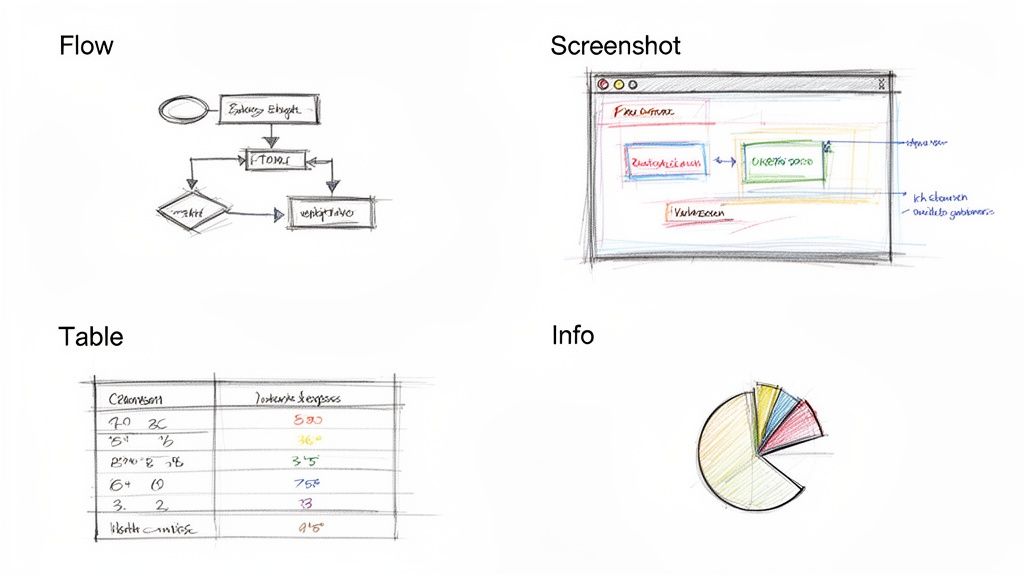
This principle is effectively demonstrated by companies like Slack, which uses annotated screenshots in its onboarding guides to clarify UI elements, and GitHub, which employs flowcharts to explain complex branching strategies. The primary benefit is accelerated understanding, which leads to fewer user errors, quicker task completion, and a significantly improved user experience.
How to Implement This Practice
- Prioritize Purpose and Clarity: Create visuals only after finalizing the text structure to ensure they support the content, not just decorate it. Each visual should have a clear purpose, conveying specific information more efficiently than text.
- Provide Context and Accessibility: Always include descriptive captions that explain the visual's relevance to the accompanying text. Crucially, provide detailed alt text for all images to ensure accessibility for screen readers and improve SEO.
- Maintain Consistency and Simplicity: Use a consistent style, including colors, fonts, and formatting, across all visuals in a document to create a cohesive and professional look. Avoid cluttering diagrams with excessive information; focus on the essential elements.
7. Plain Language and Reduced Jargon
Embracing plain language is a deliberate practice of using simple, everyday words and sentence structures to make technical information universally understandable. This involves actively eliminating unnecessary jargon and, when a specialized term is unavoidable, explaining it clearly upon its first use. The goal is to ensure that content is accessible to the broadest possible audience, including non-experts, without compromising technical accuracy. This is a core principle of effective technical writing best practices.
This principle is mandated by initiatives like the USA.gov Plain Language program for all federal documents and is used effectively by organizations like the CDC to communicate critical health information. By simplifying complex topics, such as tax regulations or software features, these organizations enhance public comprehension and trust. The primary benefit is the democratization of information, empowering users to make informed decisions without needing a specialized degree.
How to Implement This Practice
- Create a "Terms to Avoid" List: Develop a glossary of company-specific jargon and provide simpler, approved alternatives for writers to use consistently.
- Test for Readability: Use tools that measure readability scores, like the Flesch-Kincaid Grade Level, to ensure your content is understandable for your target audience. Aim for a grade level of 8 or 9 for general audiences.
- Use Analogies: Explain a complex technical process by comparing it to a simple, familiar concept. For example, liken cloud data storage to renting a self-storage unit for your digital files.
By prioritizing plain language, you remove barriers to understanding and create documentation that truly serves its audience. To simplify your writing, consider tools that can reduce jargon and complexity automatically.
8. Purpose-Driven Content Structure (Inverted Pyramid)
A cornerstone of effective technical writing is structuring content to deliver critical information immediately. The inverted pyramid method, borrowed from journalism, involves front-loading your document with the most essential information, such as conclusions or key actions, followed by supporting details and background context. This approach respects the reader's time, allowing them to grasp the main points upfront and delve deeper only if necessary. It ensures your core message is never missed, even if the reader only skims the first paragraph.
This technique is a staple in professional communication where efficiency is key. Executive summaries in business reports, for instance, present the final recommendations first. Similarly, technical release notes often begin with breaking changes or critical updates before listing minor fixes. Adopting this structure is one of the most impactful technical writing best practices for ensuring your message lands effectively with busy audiences who need to make quick, informed decisions.
How to Implement This Practice
- Lead with the Conclusion: Start your document, section, or even email with the primary takeaway or required action. Ask yourself, "If my reader only read one sentence, what must they know?"
- Organize by Importance: After presenting the main point, arrange the subsequent information in descending order of importance. Place crucial supporting data directly after your conclusion, followed by more general background information.
- Use Descriptive Headings: Craft headings and subheadings that summarize the key finding of the section, not just its topic. For example, use "System Performance Increased by 15%" instead of just "Performance Metrics."
By structuring content with the conclusion first, you cater to the modern reader's need for speed and clarity, making your documentation significantly more effective. For tools that can help you reorganize existing text, consider a paraphraser like Rewritify to help restructure sentences and paragraphs for better front-loading.
9. Accuracy, Citations, and Source Attribution
One of the most crucial technical writing best practices is ensuring all information is accurate and properly attributed. This involves meticulous fact-checking, citing authoritative sources, and respecting intellectual property. Technical documentation must be a source of truth for the user; any inaccuracy erodes trust and can lead to significant errors, system failures, or safety issues. This commitment to accuracy is the foundation of credible and reliable content.
This principle is rigorously applied by organizations where precision is paramount. For example, academic journals rely on peer review and strict citation standards to validate research. Similarly, government health bodies like the CDC and NIH provide extensive citations to back up their public health guidelines, ensuring the public receives trustworthy, verifiable information. The core benefit of this practice is building reader confidence and maintaining ethical and legal integrity.
How to Implement This Practice
- Document Sources as You Research: Instead of trying to find sources after writing, document them from the start. Use citation management tools like Zotero or EndNote to keep track of references.
- Cross-Reference Your Claims: Verify every fact, statistic, or technical claim against multiple authoritative sources. Create a simple fact-checking checklist for your team to standardize the process.
- Attribute Correctly and Consistently: Link directly to original research or data sources whenever possible. This transparency allows readers to verify information for themselves and explore topics in greater depth.
By prioritizing accuracy and diligent citation, you establish your documentation as a dependable resource. For guidance on specific citation styles, you can explore guides on creating an APA footnote example.
10. Usability Testing and Iterative Refinement
One of the most powerful technical writing best practices is to move beyond assumptions and actively test your documentation with real users. Usability testing is the process of observing people as they attempt to use your documentation to complete specific tasks. This evidence-based approach reveals where users get stuck, what information is missing, and which explanations are unclear, allowing you to make targeted improvements.
This practice transforms documentation from a static, writer-centric asset into a dynamic, user-centric tool. Industry leaders like Atlassian and Google integrate this iterative refinement into their workflows, continuously improving their documentation based on user behavior and feedback. This validation ensures that the content truly helps users achieve their goals, significantly reducing frustration and support tickets while boosting user satisfaction and product adoption.
How to Implement This Practice
- Create Task-Based Scenarios: Instead of just asking users to read the docs, give them realistic tasks to complete (e.g., "Install the software using these instructions"). This simulates real-world usage.
- Observe and Listen: Watch users as they work through the tasks without offering assistance. Pay close attention to non-verbal cues like hesitation or repeated scrolling, as these often indicate confusion.
- Ask Open-Ended Questions: After a task, ask questions like, "What were your thoughts as you went through that section?" or "Was there anything you found confusing?" to gather qualitative insights.
By systematically testing and refining your content, you ensure it is not just accurate but genuinely usable. To ensure your technical documentation truly serves your users, understanding core principles of how users interact with information is crucial. Delve deeper into the fundamentals of these user experience design principles.
10 Technical Writing Best Practices Comparison
| Practice | Implementation complexity | Resource requirements | Expected outcomes | Ideal use cases | Key advantages |
|---|---|---|---|---|---|
| Clarity Over Complexity | Low–Medium (editing & iterations) | Minimal: editor time, SME review | Higher readability and comprehension | Tutorials, general user docs, broad audiences | Improved comprehension; fewer misunderstandings |
| Consistent Terminology & Glossary Management | Medium (setup + governance) | Glossary maintenance, coordination across teams | Consistent language; better searchability | Multi-author documentation, standards, academic work | Eliminates confusion; improves cross-referencing |
| Audience Analysis & Tailored Messaging | Medium–High (research, personas) | User research, personas, multiple versions | Increased relevance and engagement | Targeted docs, marketing content, multi-audience products | Matches tone/depth to audience; higher effectiveness |
| Structured Information Architecture & Hierarchy | Medium (planning/outlining) | Time for outlining, formatting, TOC tools | Improved scannability and navigation | Large docs, API references, knowledge bases | Faster information retrieval; better maintainability |
| Active Voice & Strong Verb Usage | Low (editing habit) | Editor time; grammar review tools | More concise, clear agency and actions | Instructions, safety docs, UI copy | Clear responsibility; improved readability |
| Visual Aids & Supplementary Graphics | Medium–High (design work) | Design skills, tools, production time | Better comprehension and retention; reduced text | Process guides, UI walkthroughs, onboarding | Conveys complex info quickly; supports visual learners |
| Plain Language & Reduced Jargon | Low–Medium (careful wording) | Editing time; readability checks, user feedback | Greater accessibility; faster understanding | Public guidance, ESL audiences, consumer-facing docs | Broad accessibility; regulatory alignment |
| Purpose-Driven Structure (Inverted Pyramid) | Low–Medium (restructuring) | Editorial effort to front-load content | Quick grasp of key points for skimmers | News, executive summaries, release notes, emails | Front-loads essentials; efficient for busy readers |
| Accuracy, Citations & Source Attribution | High (verification & formatting) | Research time, citation tools, source access | Credibility, trust, legal/academic compliance | Research papers, regulated content, white papers | Builds trust; enables verification; avoids plagiarism |
| Usability Testing & Iterative Refinement | High (planning + testing cycles) | Test participants, analytics, time for iterations | Evidence-based improvements; fewer support issues | Complex workflows, product docs, new features | User-validated clarity; prioritized fixes based on data |
Transforming Your Documentation from Good to Great
The journey from creating adequate technical documentation to producing truly exceptional, user-centric content is built on a foundation of deliberate practice. Throughout this guide, we've explored ten essential technical writing best practices that serve as the pillars of effective communication. From prioritizing clarity over complexity and maintaining consistent terminology to conducting thorough audience analysis, each principle is a crucial piece of the puzzle.
These practices are not isolated suggestions but interconnected concepts. A strong information architecture, for example, is far more effective when paired with the active voice and supplemented by clear visual aids. Similarly, a commitment to plain language and the inverted pyramid structure ensures your most critical information is both accessible and immediately understandable. The true power lies in how these elements work together to serve a single, unified goal: empowering your user.
From Theory to Actionable Implementation
Mastering these skills requires moving from passive knowledge to active application. Don't feel pressured to implement all ten practices at once. Instead, choose one or two to focus on in your next project.
Here are some actionable next steps to get started:
- For your next document: Dedicate 30 minutes to specifically hunting down passive voice constructions and rewriting them using strong, active verbs.
- This week: Create a mini-glossary for a project you are working on, defining 5-10 key terms to ensure consistency.
- Before publishing: Ask a colleague from a different department to review a section of your work. Their feedback will provide invaluable insight into jargon and clarity, acting as a form of informal usability testing.
Remember that great documentation is an asset that reduces support tickets, improves user adoption, and builds brand trust. As you refine your content, you may also find opportunities to extend its reach. For instance, a well-structured FAQ document can be adapted into a series of short video tutorials or a training webinar. To truly transform your documentation from good to great, consider adopting effective content repurposing strategies to maximize your efforts and reach.
Ultimately, adopting these technical writing best practices is about cultivating a mindset of empathy and precision. It’s about viewing your content not as a mere description of a product, but as a vital conversation with your user, guiding them toward success with every word. This commitment to quality is what separates functional documentation from an exceptional user experience.
Ready to elevate your writing and implement these best practices with ease? Rewritify helps you refine your text by generating clearer, more concise, and audience-appropriate versions in seconds. Streamline your editing process and ensure every document you create is accurate and professional by trying Rewritify today.
Recent articles

Is ZeroGPT accurate? We tested its AI detection using 2026 data. See how it performs on false positives and reliability for students, writers, and marketers.

Master the difference between complement and compliment with our guide. Learn the definitions, grammar, and usage with clear examples to perfect your writing.

Discover our top 8 company bio example formats for websites, social media, and sales. Get templates and tips to write a bio that converts.

Discover 10 powerful not understandable synonyms to enhance your writing. Explore examples, tips, and contexts to improve clarity and precision.

Learn how to humanize AI generated text with proven strategies. Move beyond robotic writing to create authentic, engaging content that connects with readers.

Learn how to correct the sentence with practical grammar tips, proofreading tricks, and clear examples that boost clarity and confidence.