Humanize AI Text Free: Quick Ways to Improve Readability in AI Content
Discover how to humanize ai text free with practical tips and tools to produce natural, engaging AI writing.

You can absolutely humanize AI text for free. It all comes down to a smart mix of manual editing and using the right free tools. The idea is to take that first robotic draft from the AI and breathe life into it—injecting your personal voice, mixing up sentence structures, and fixing those awkward phrases until it feels genuinely authentic.
Why Robotic AI Content Fails to Connect
Let's be real: while AI is a fantastic starting point for content, hitting "publish" on a raw, unedited draft is a recipe for disaster. That lifeless, generic output can do more harm than good, creating a cascade of problems for creators, marketers, and students.
The Real-World Consequences
Publishing unedited AI content is a risky gamble. I've seen it firsthand—it can directly torpedo your credibility and performance in some pretty stark ways.
- Damaged Brand Credibility: When content sounds robotic, it makes a brand feel lazy and disconnected. It chips away at the trust you need to build a loyal following.
- Tanked User Engagement: People are smart. They can spot soulless content from a mile away and will click the back button in a heartbeat. High bounce rates and low time-on-page metrics don't lie.
- Penalties from AI Detectors: Tools like Originality.ai and GPTZero are getting much better at sniffing out machine-generated text. This is a huge deal for students worried about academic integrity or publishers who need to uphold quality standards.
- Negative SEO Impact: Google has made it crystal clear they want human-first content. The 2024 Helpful Content Update hammered sites that were churning out low-quality, AI-spun articles, and many saw their traffic plummet overnight.
The core problem is that raw AI text just doesn't have the nuance, emotion, or unique perspective that a human brings to the table. It might be technically correct, but it's emotionally empty.
A Flood of AI-Generated Content
This isn't a small problem—it's getting bigger every day. Some experts are predicting that by 2026, a mind-boggling 90% of all online content could be created by AI.
On one hand, that sounds efficient. But the reality is that a huge chunk of that content will be repetitive, unnatural mush that flags every AI detector and bores readers to tears. This is precisely why learning to humanize AI text is no longer just a nice-to-have skill. It's an essential strategy for anyone who wants their work to stand out, feel real, and actually connect with another person. You can dig deeper into this trend by checking out these AI statistics.
Getting More Human-Like AI Drafts Starts With Your Prompts
The best way to get human-sounding AI content for free has nothing to do with editing—at least, not at first. It all starts with the instructions you feed the machine. A lazy, one-line request is almost guaranteed to spit out something generic and robotic. But if you learn how to guide the AI with specific, layered instructions, you'll get a first draft that's miles ahead.
Think of yourself as a director and the AI as a very literal actor. If you just tell it, "Talk about marketing," you'll get a bland, forgettable monologue. But if you give it a character, a backstory, and a specific audience, the performance suddenly has life. That's exactly what we're doing here.
Give the AI a Persona and a Voice
This is the single most powerful trick in the book. Don't just ask for an article; tell the AI who is writing it. This instantly frames the content with a unique perspective and style that a generic prompt could never achieve.
- Assign a Persona: Give the AI a specific role to play. Instead of, "Write about personal finance," try this: "You are a skeptical financial analyst who has weathered three recessions. Write a blog post about personal finance for a nervous millennial audience."
- Define the Voice & Tone: Get specific about the feeling you want to convey. You could ask for a "reassuring but firm tone" or maybe something more like a "witty, slightly sarcastic voice."
This small shift from asking what to write to defining who is doing the writing is a game-changer. It turns a boring data dump into a piece with a real point of view.
Your goal is to stop being a typist and start being a director. You're not just feeding the AI lines; you're shaping its entire performance by giving it context, motivation, and a character to embody.
Use Constraints and Tell It What to Avoid
Just as important as telling the AI what to do is telling it what not to do. AI models are trained on the entire internet, which means they're packed with clichés, buzzwords, and cringey corporate jargon. You need to steer it away from those bad habits.
Try adding a few ground rules to your prompt:
- "Do not use clichés like 'in today's fast-paced world' or 'level up'."
- "Avoid all corporate jargon. No 'synergy,' 'paradigm shift,' or 'circle back'."
- "Write in short, punchy sentences. Avoid long, complex paragraphs."
These negative constraints act like a filter, forcing the AI to be more creative and original. It's an easy way to clean up the output before it's even generated. If you really want to get good at this, digging into some powerful examples of prompts to master AI is a great way to see how the pros guide AI toward a more human-like voice.
Use "Chain-of-Thought" to Improve Logic
Here’s a slightly more advanced technique called "chain-of-thought" prompting. Instead of asking for the finished article in one go, you make the AI show its work. Ask it to "think step-by-step" or to create an outline before it writes the final draft.
For example, you could prompt it like this: "First, brainstorm three common myths about remote work. Next, for each myth, find a statistic that debunks it. Finally, write a blog post that weaves these points together into a compelling argument."
This approach almost always results in a more logical, well-structured, and less formulaic piece. It gives you a much stronger foundation to build on when you get to the manual editing stage.
Your Editing Checklist for Authentic Voice and Flow
Once you’ve coaxed a solid first draft out of the AI, the real work begins. This is where your human touch transforms the piece, weaving in the personality and rhythm that machines just can't replicate. A good, thorough manual edit is still the most reliable way to humanize AI text for free, turning a predictable script into something that actually connects.
Think of this checklist as your roadmap for breathing life back into every sentence.
Vary Your Sentence Structure
Have you ever noticed how AI-generated text can sound... flat? It’s often because the sentences all follow a similar length and pattern. This monotonous rhythm is a dead giveaway that a machine did the writing. Your first mission is to break up that drone.
Mix it up. A long, descriptive sentence can be followed by a short, punchy one for impact. Try starting sentences with different words and phrases. If you see a paragraph where every sentence begins with "The company..." or "It is...", you know you have work to do. Rephrase, restructure, and create a flow that feels more like a conversation.
This isn't just about tricking detectors; it’s about making the content genuinely better and more engaging for your reader. For a deeper dive into these kinds of structural fixes, our guide on how to rewrite AI-generated text is a great resource.
Inject Authentic Specificity
AI can pull facts from its training data, but it can't fake real-life experience. The single most powerful way to humanize your text is to sprinkle in details that could only come from a person.
- Share Personal Anecdotes: Don't just say, "Good customer service is important." Instead, try something like, "I once spent 45 minutes on hold with my cable company, and that one experience taught me everything I need to know about what not to do."
- Use Sensory Details: Make your writing vivid. Describe how something looks, sounds, or feels. Bring the scene to life for the reader.
- Provide Concrete Examples: AI loves vague statements like, "Many businesses benefit from social media." That’s your cue to get specific. "A local bakery I follow doubled its weekend sales just by posting behind-the-scenes videos on Instagram."
This image breaks down how to give the AI a better starting point by defining a clear persona, tone, and set of constraints in your initial prompt.
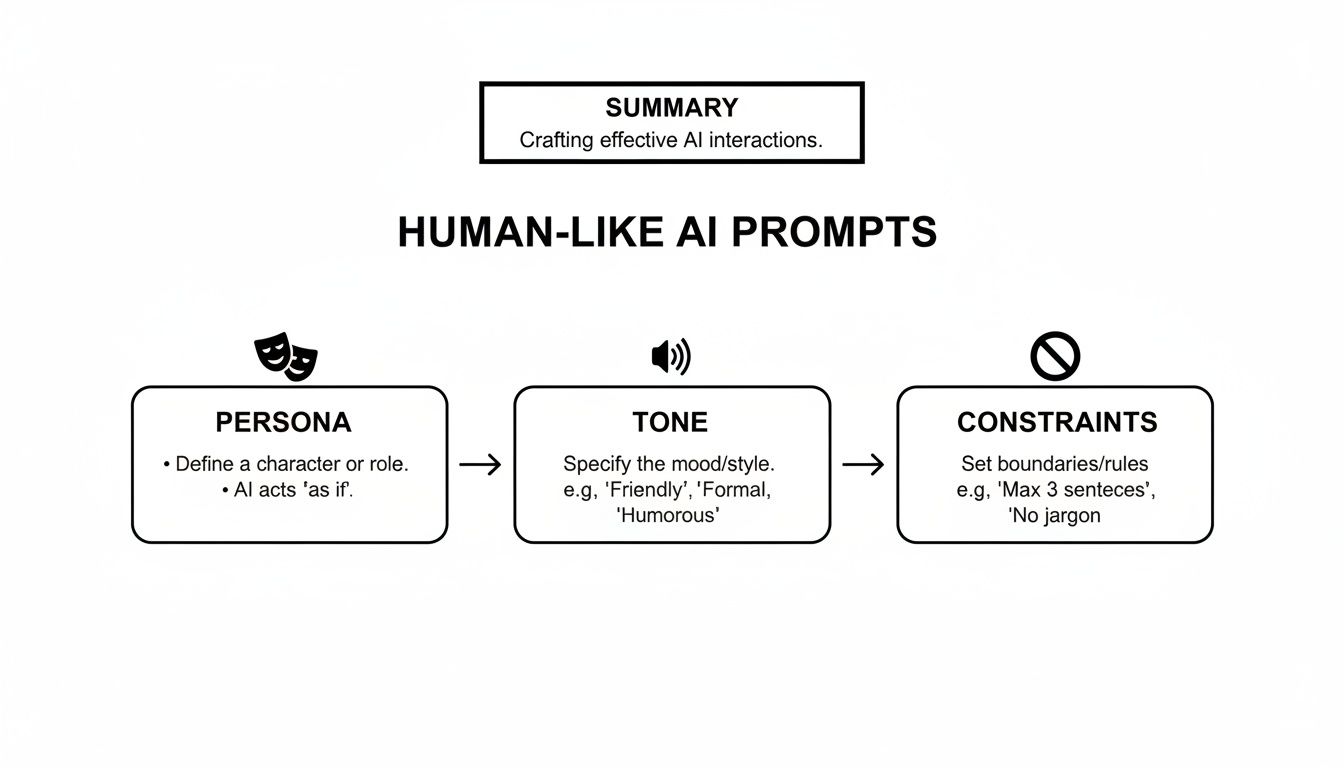
Nailing these elements upfront makes your manual editing job infinitely easier.
Hunt Down Common AI Tells
AI models have their own little linguistic habits—fingerprints that give them away. Learning to spot and eliminate these "tells" is a huge part of the process.
During your edit, keep an eye out for these classic robotic patterns:
- Repetitive Transitions: AI has a love affair with words like "Furthermore," "Moreover," "In addition," and the dreaded "In conclusion." Get rid of them. Your writing will be stronger for it.
- The "-ly" Epidemic: Words like "truly," "really," and "incredibly" often feel like filler. More often than not, you can delete them for a more direct and confident tone.
- Painfully Perfect Grammar: Real people use contractions. We say "don't," "it's," and "we'll." AI often defaults to a stilted, formal style that feels unnatural.
Adding contractions is one of the fastest ways to make your text sound more human. Don't be afraid to break a minor grammar rule here and there for emphasis, either. It’s what real writers do.
This all ties back to developing a strong Brand Voice. When you know exactly who you are—witty, formal, friendly, or expert—you have a clear filter for every editing decision you make, pulling the text further away from the AI’s generic default and closer to your unique identity.
AI vs Humanized Text Before and After
To see these principles in action, let's look at a quick comparison. The table below shows how applying this checklist can transform robotic AI output into something that sounds genuinely human.
| Editing Focus | Robotic AI Text (Before) | Humanized Text (After) |
|---|---|---|
| Sentence Flow | Marketing is an important component of business strategy. Furthermore, businesses must utilize social media. | You can't run a business without thinking about marketing. And these days, that absolutely means you need a social media game plan. |
| Specificity | Many companies have seen success with our product. It helps to improve efficiency across multiple departments. | I recently chatted with a client, a mid-sized logistics firm, who told us they cut their report-generation time by 60% in the first month. Their ops team was thrilled. |
| AI Tells | In conclusion, it is truly essential to adopt these practices. They are incredibly beneficial for growth. | Look, adopting these practices isn't just a good idea—it's essential if you want to grow. |
It's a night-and-day difference, right? The "after" column isn't just less robotic; it's more persuasive, relatable, and trustworthy. This is the goal of a great human edit.
The Best Free Tools to Humanize AI Text
Let's be real: manual editing is the secret sauce for authentic content, but that doesn't mean you have to do all the grunt work yourself. A few smart, free tools can seriously speed up your workflow, acting as your personal editing assistants to handle the more tedious parts of a rewrite.
When you pair your own human insight with the right software, you create a powerhouse system to humanize AI text for free. This lets you pump out high-quality content at scale without dropping a dime, all while you focus on adding the unique stories and specific examples only you can provide.
Building Your Free Humanizing Toolkit
Before you even think about a dedicated AI humanizer, there are a couple of free writing aids that I always recommend as a first line of defense. They're fantastic for catching the common quirks and bad habits that AI models tend to have. Think of them as a first-pass editor that catches the stuff your eyes glaze over after staring at a screen too long.
- Grammarly (Free Version): Most people know it for catching typos, but Grammarly's free version is surprisingly good at flagging tone and conciseness issues. It’s a lifesaver for pointing out passive voice—a classic AI giveaway—and suggesting more direct, punchy phrasing.
- Hemingway Editor: This tool is all about ruthless clarity. Just paste your text into the free Hemingway web app, and it instantly highlights those long, tangled sentences and overuse of adverbs that scream "robot." A quick tip from my own experience: aiming for a lower grade level in Hemingway is a super-fast way to make your writing more accessible and genuinely human.
Running your draft through these two tools first preps it perfectly for the next, more powerful step.
The Centerpiece: Your Free AI Text Humanizer
After that initial cleanup, it’s time to bring in the specialist. The hard truth is that even with some tweaks, a huge chunk of AI-generated text is easily flagged. In fact, detectors can catch 80-90% of unedited AI content. This is where a dedicated tool like Rewritify becomes absolutely essential.
Rewritify is a free AI text humanizer that does more than just swap out a few words. It intelligently rephrases and restructures your content to sound more like a person wrote it, adjusting the flow and rhythm to mimic natural writing patterns. For a deeper dive, check out our post on using an AI text enhancer to see just how effective this can be.
A Quick Tutorial for Using Rewritify
Getting started is dead simple. The tool is designed to be completely intuitive, so you can transform your text in just a couple of clicks without needing to watch a bunch of tutorials.
The interface is clean and straightforward, guiding you through the process of turning your AI draft into something much more natural.
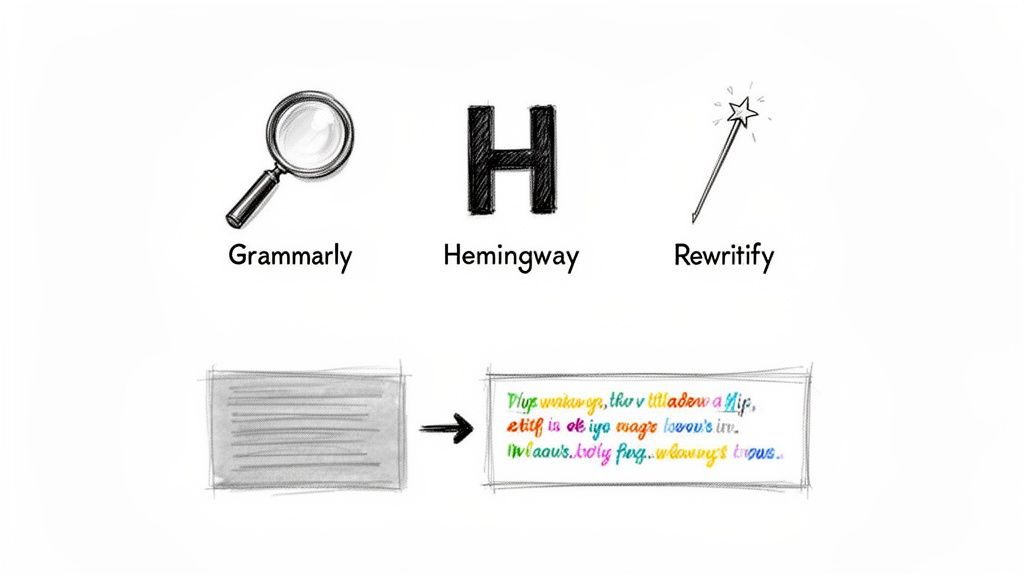
As you can see, the layout is all about getting the job done fast.
Here’s how I integrate it into my own workflow:
- Paste your draft. Grab the text straight from ChatGPT, Claude, or whatever you're using and drop it into the input box on the left.
- Pick your mode. This is where the magic happens. ‘Natural’ is my go-to for most blog posts, while ‘Undetectable’ is specifically built to get past AI detectors. You also have options like ‘Formal’ or ‘Simple’ to give you more precise control over the final tone.
- Generate and refine. Hit the button and let it work. The humanized version appears on the right. I treat this new text as my real first draft—the one I then polish with personal stories, specific data, and my unique voice.
This process isn't about letting a tool do the writing for you; it's about letting it handle the heavy lifting. Rewritify fixes the robotic structure and rhythm, which frees you up to focus on the creative, high-impact stuff that truly makes your content stand out.
Navigating AI Detectors and Ethical Writing
Learning to humanize AI text for free isn't just a neat trick to make your writing sound better. It’s a crucial skill for getting your work seen and respected in a world full of AI detection tools, all while sticking to some important ethical lines.
The real goal here isn't to fool a piece of software. It's to create work that's genuinely useful, honest, and something you can be proud of.
AI detectors are built to sniff out the tell-tale signs of machine writing. They’re looking for things like suspiciously perfect grammar, low perplexity (which is a fancy way of saying predictable word choices), and sentence structures that repeat over and over. Every single tip we’ve covered—from manual editing to using specific tools—is designed to dismantle those exact patterns, making your content look, feel, and statistically read like it came from a human.
Understanding Detection and Your Responsibility
Getting a "human-written" score from a detector is just one part of the puzzle. The real work—and your real responsibility—begins there. Treating this process as an ethical commitment to quality and transparency is what separates good work from a cheap shortcut.
- Fact-Check Everything: AI models are notorious for "hallucinating," meaning they can state completely made-up facts with unwavering confidence. You have to be the final gatekeeper. Verify every number, claim, and source.
- Don't Spread Junk: Never use these skills to create content that’s designed to mislead or harm people. The point is to make your message clearer, not to hide the truth.
- Maintain Your Integrity: This is a big one, especially for students and professionals. The goal is to elevate your own ideas and arguments, not to claim a machine's output as your original thought. For a deeper dive on this, check out our guide on how to avoid plagiarism while using AI assistants.
When you adopt this mindset, humanizing stops being a technical hack and becomes a professional standard. It ensures the final piece is something you can truly stand behind.
The High Stakes of Incoherent AI Text
Let's be blunt: the consequences of publishing robotic, easily detectable content are huge. Recent reports are staggering, showing that a massive 70-85% of generative AI projects fail. The main reason? They pump out text that’s incoherent, clunky, and quickly flagged by detectors.
Whether you're a student polishing an essay, a marketer trying to scale a blog, or a researcher refining a paper, that failure rate is a serious roadblock. It’s exactly why tools like Rewritify have become so essential. Its 'Undetectable' mode, for instance, is built specifically to turn a rough AI draft into an original, coherent piece that can sail past the top detection tools. You can read up on the challenges facing AI projects to see just how widespread this issue is.
Ultimately, humanizing AI-generated content is an act of ownership. You are taking a machine's output and accepting the responsibility to verify its facts, refine its voice, and ensure it serves your audience with integrity.
Frequently Asked Questions
Got some lingering questions about making AI content sound more human? You're not alone. Let's tackle some of the most common ones I hear.
Can I Really Make AI Text Undetectable for Free?
Yes, you absolutely can. The trick isn't finding one magic tool that does it all, but rather layering a few smart, free techniques. It’s about building a solid workflow.
Think of it like this:
- You start with smart prompting, telling the AI exactly who to be and what to sound like. This gets you a much better first draft.
- Then, you roll up your sleeves for a round of manual editing. This is where you inject your own voice, fix weird phrases, and add personal touches.
- Finally, you can use a free tool like Rewritify for a last polish to catch any remaining robotic patterns in sentence structure.
When you combine these steps, you create content that sails right past even the most sophisticated AI detectors.
Will Humanizing My AI Content Hurt My SEO?
It's actually the complete opposite. Humanizing your AI content is one of the best things you can do for your SEO. Google has been very clear that it rewards high-quality, helpful content made for people, not just algorithms.
Robotic, bland text turns readers off. They hit the back button, and that high bounce rate tells Google your page isn't very good. When you add a real human voice, share unique insights, and give your writing a natural rhythm, you keep people on the page longer. That's a huge win for SEO.
How Much Time Does It Really Take to Humanize an Article?
It's faster than you probably think, especially once you get a system down. The time really depends on the quality of your AI's first draft and how quick you are with edits.
For a standard 1,000-word article, I find that a quick pass through a tool like Rewritify takes less than a minute. After that, a focused 15-30 minutes of manual polishing is usually all it takes. That's my time for adding specific examples, checking facts, and really dialing in the tone. It's a fraction of the time it would take to write the whole thing from scratch.
Ready to turn those robotic drafts into something genuinely engaging? Rewritify can give you a massive head start in just a few seconds. Try Rewritify for free and see how much better your AI content can sound.
Relevant articles

Learn how to humanize AI generated text with proven strategies. Move beyond robotic writing to create authentic, engaging content that connects with readers.
Learn how to make AI writing undetectable. Our guide shows you how to transform robotic AI drafts into authentic, human-quality content that bypasses detectors.
Learn how to rewrite ai text to human and turn robotic drafts into natural, engaging writing. Get practical tips to connect with readers.
Asking 'does undetectable AI work?' This guide reveals real test data on bypassing AI detectors. See if you can actually fool systems like Turnitin and Google.
Learn how to rewrite AI generated text into engaging, human-quality content that ranks. Master voice, SEO, and fact-checking with our proven workflow.