10 Actionable Professional Email Writing Tips for 2026
Master communication with our top 10 professional email writing tips. Learn to write clear, concise, and effective emails that get results. Read now!
In a world saturated with digital noise, the ability to write a clear, concise, and professional email is more than a skill-it's a superpower. A well-crafted email can land a job, close a deal, or solve a critical problem, while a poor one can cause confusion, damage your reputation, and get ignored entirely. The difference between an email that gets results and one that lands in the trash folder isn't literary genius; it’s the strategic application of proven communication techniques.
This guide provides a comprehensive collection of actionable professional email writing tips designed to elevate your communication. We move beyond generic advice to offer specific formulas, practical templates, and clear before-and-after examples that you can implement immediately. Mastering these skills is critical for anyone looking to make a strong impression, from students contacting professors to business professionals managing client relationships.
Throughout this listicle, you will learn how to:
- Craft compelling subject lines that guarantee your email gets opened.
- Structure your message for maximum clarity and impact.
- Maintain a consistently professional tone, regardless of the situation.
- Write clear calls-to-action that prompt an immediate response.
- Avoid common mistakes that undermine your credibility.
Whether you're writing to a new contact, a senior executive, or an entire department, these insights will help you command attention and drive action. By the end, you'll have a complete toolkit to ensure every message you send is polished, purposeful, and powerful, building your reputation for impeccable communication one email at a time.
1. Use a Clear, Professional Subject Line
The subject line is the single most critical element of your professional email. It's the first impression you make and the primary factor determining if your message gets opened, archived, or ignored. A well-crafted subject line acts as a clear, concise summary of your email's purpose, allowing the recipient to instantly understand its context and urgency without even opening it. This is a fundamental skill in professional email writing tips that boosts efficiency for both you and your reader.
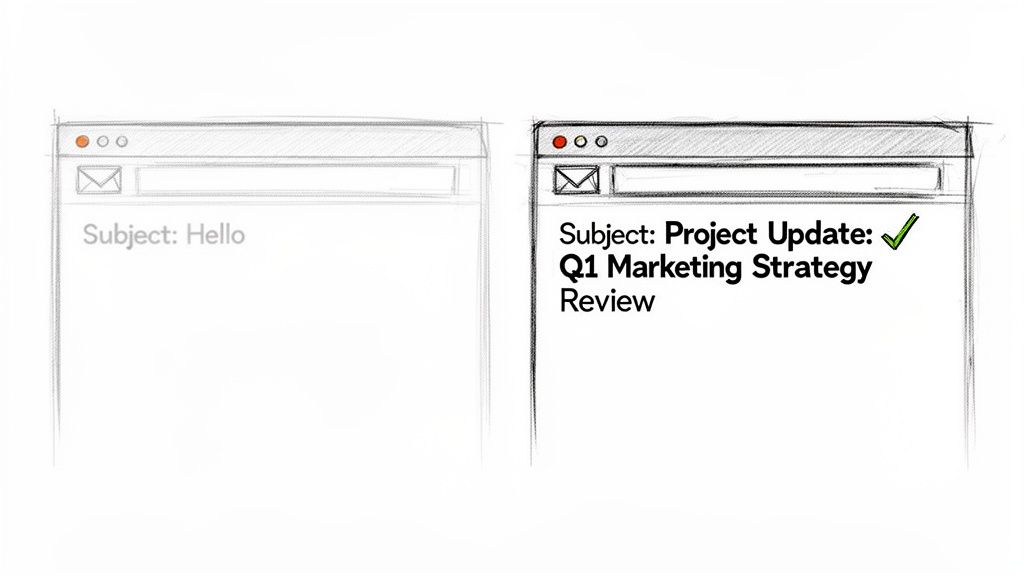
Neglecting the subject line is like sending a report without a title. Vague subjects like "Question" or "FYI" create unnecessary work for the recipient, forcing them to guess the content's importance. A professional subject line, in contrast, improves open rates, helps with email search and organization, and demonstrates respect for the recipient's time.
How to Write Effective Subject Lines
To implement this tip, focus on clarity and specificity. Your goal is to provide maximum context in minimum words.
Vague Subject: "Hello"
Professional Subject: "Project Update: Q1 Marketing Strategy Review"
Vague Subject: "Question"
Professional Subject: "Action Needed: Budget Approval for Content Creation"
Vague Subject: "FYI"
Professional Subject: "Proposal Attached: New SEO Content Framework"
These professional examples clearly state the email's purpose, use keywords like "Update," "Action Needed," and "Proposal," and reference a specific project or topic. To help craft subject lines that truly capture attention and drive opens, you can explore a wide range of 101+ email subject line examples to instantly boost your open rates.
Actionable Tips for Better Subject Lines
- Front-load key information: Place the most critical words at the beginning, as many email clients truncate long subjects.
- Use keywords: Include specific terms (e.g., "Invoice," "Meeting Agenda," "Feedback Required") that make the email easily searchable.
- Add clarifying tags: Use prefixes like [ACTION REQUIRED], [CONFIDENTIAL], or [RESPONSE NEEDED] to signal urgency or importance.
- Be direct, not demanding: Avoid aggressive or overly casual language. Professionalism is key.
2. Organize and Format Your Email
A well-organized and clearly formatted email is significantly easier to read, understand, and act upon. Proper structure guides the recipient through your message logically, while thoughtful formatting like spacing, bolding, and bullet points improves scannability. This practice ensures your key points are not lost in a wall of text, a crucial skill among professional email writing tips that enhances clarity and boosts response rates.
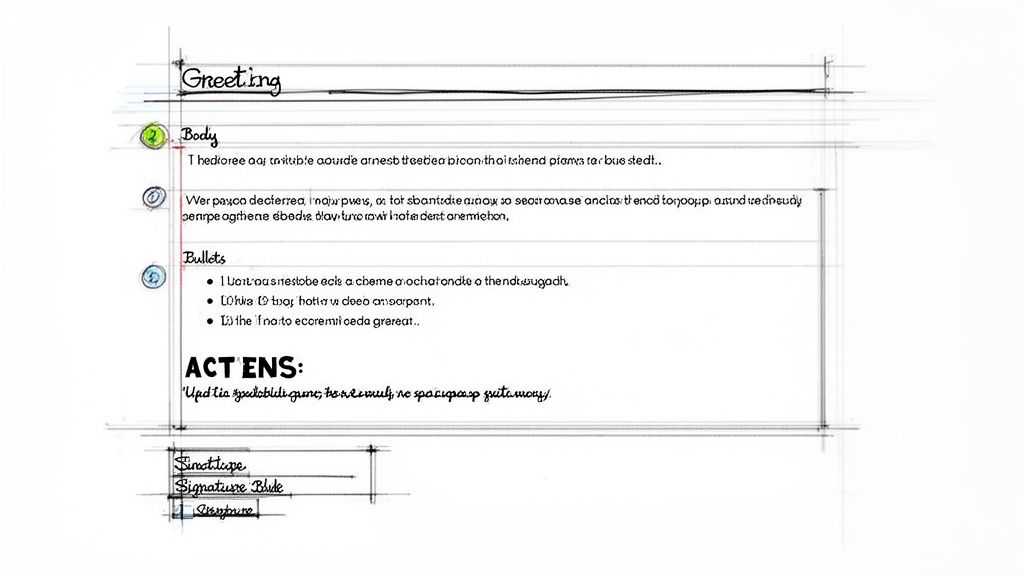
Sending a long, unbroken block of text is overwhelming and shows a lack of respect for the reader's time. It forces them to work hard to find the main purpose and required actions, increasing the chances of misinterpretation or no response at all. A structured and formatted email, conversely, demonstrates professionalism, makes your message accessible, and increases the likelihood that your reader will engage with your request.
How to Structure and Format Emails
To implement this tip, think about your email's logical flow and visual hierarchy. Your goal is to make the content as digestible as possible.
Poor Formatting: A single 500-word paragraph detailing a project update with no breaks, highlights, or lists.
Professional Formatting: An organized email with a brief status overview, bold keywords for emphasis, and a bulleted list of action items.
Poor Formatting: An email with multi-colored text, excessive bolding, and several different decorative fonts.
Professional Formatting: A clean email using a single, consistent font, black text, and selective bolding for key deadlines and names.
The professional examples use white space and simple formatting tools to create a clear path for the reader. This structure helps ensure every part of your message is seen and understood. Maintaining this level of consistency across all communications can be streamlined by creating a set of guidelines, and you can learn how to build your own by checking out this brand style guide template.
Actionable Tips for Better Organization and Formatting
- Use white space: Break up your text with line breaks between paragraphs. It makes the content less intimidating.
- Keep paragraphs short: Aim for a maximum of 2-3 sentences per paragraph to improve readability.
- Use bullet points and numbered lists: Organize lists of 3 or more items, action steps, or questions with bullets or numbers.
- Bold key information: Strategically use bold text for critical details like deadlines, names, or action items, but use it sparingly.
- Place the main point first: State your primary purpose or question in the opening paragraph.
3. Maintain a Professional Tone and Voice
Your email's tone is its personality, conveyed through word choice, sentence structure, and overall attitude. A professional tone strikes a careful balance between formality and approachability, reflecting respect for the recipient while remaining clear and authentic. This element is a cornerstone of professional email writing tips, as it builds trust and credibility in all contexts, from client interactions to internal team updates.
Mismanaging tone can lead to misunderstandings, strained relationships, and a perceived lack of professionalism. A message that comes across as too casual can undermine your authority, while one that is overly formal can seem cold or robotic. The key is adapting your voice to the specific audience and situation, ensuring your message is received exactly as you intend.
How to Maintain a Professional Tone
To implement this tip, focus on being respectful, positive, and constructive. Your goal is to communicate clearly without sounding demanding, accusatory, or overly familiar.
Casual Tone: "Hey, just checking in about the thing"
Professional Tone: "I wanted to follow up on the status of the Q1 content strategy proposal."
Accusatory Tone: "You missed the deadline."
Professional Tone: "I noticed the deliverable hasn't been received yet. Could we discuss any obstacles and establish a revised timeline?"
Vague Tone: "This isn't great."
Professional Tone: "I have some suggestions to strengthen this analysis. Would you be open to discussing potential improvements?"
These professional examples replace casual or negative phrasing with polite, specific, and solution-oriented language. They demonstrate how to address issues constructively while maintaining a respectful and collaborative voice. Tools like an AI text enhancer can be invaluable for instantly refining your writing to achieve the ideal professional tone.
Actionable Tips for a Better Tone
- Read it aloud: Hearing your words can reveal awkward phrasing or an unintended emotional tone before you hit send.
- Avoid extremes: Steer clear of ALL CAPS, which can be interpreted as shouting, and excessive punctuation (!!! or ???) that appears unprofessional.
- Use names and titles appropriately: Address recipients based on your relationship. When in doubt, start with a more formal salutation (e.g., "Dear Mr. Smith") and adjust if they reply more casually.
- Choose positive language: Frame feedback and requests in a constructive way, focusing on solutions rather than problems.
4. Write a Compelling Opening Line
After a strong subject line gets your email opened, the opening line determines whether the recipient keeps reading or moves on. This first sentence is your hook; it must immediately establish relevance and purpose, showing the reader why your message is worth their time. For busy professionals, an effective opening that cuts to the chase is a critical component of professional email writing tips.
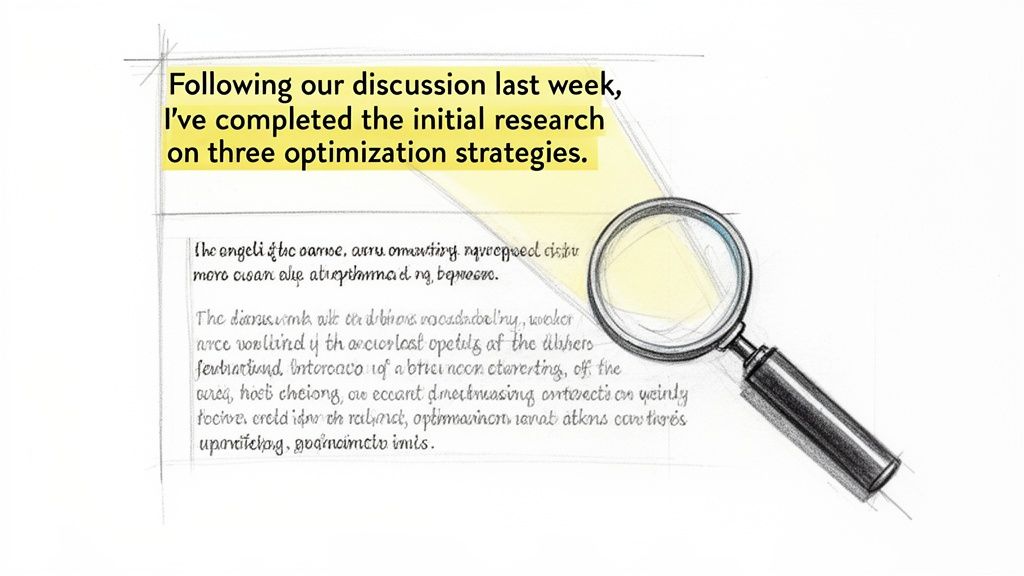
Burying the main point behind generic pleasantries like "I hope this email finds you well" forces the recipient to work harder to understand your intent. A compelling opening line respects their time by referencing a prior conversation, highlighting a mutual benefit, or clearly stating the email's purpose from the very beginning. This directness builds credibility and ensures your message is taken seriously.
How to Write Effective Opening Lines
To implement this tip, replace vague, passive openers with direct, context-rich statements that provide immediate value or clarity.
Weak Opening: "I hope this email finds you well."
Strong Opening: "Following our discussion last week, I've completed the initial research on the three content optimization strategies."
Weak Opening: "I wanted to reach out about something."
Strong Opening: "The revised proposal addresses the budget concerns you raised and could reduce content production costs by 25%."
Weak Opening: "I have a quick question."
Strong Opening: "To move forward with the Q2 campaign launch, I need your approval on the final brand messaging by Friday."
These strong examples are effective because they provide instant context, demonstrate progress, and clearly state what is needed from the recipient.
Actionable Tips for Better Opening Lines
- Lead with the benefit: Start with the positive outcome or result, not the request itself.
- Reference shared context: Mention a specific prior conversation, meeting, or shared document to ground your message.
- State the purpose for requests: Clearly explain why you are making a request before diving into the details.
- Avoid generic greetings: Skip fillers like "I hope you're having a great day" and get straight to the point.
- Strengthen weak phrasing: Use a rewriting tool like Rewritify to transform generic opening lines into impactful statements that grab the reader's attention.
5. Be Concise and Respect the Reader's Time
In a world where professionals receive dozens, if not hundreds, of emails daily, brevity is a sign of respect. Being concise means conveying your complete message in the fewest words possible without sacrificing critical details or clarity. This isn't about being abrupt or incomplete; it's about eliminating redundancy and filler to make your message easy to absorb and act upon. This practice is one of the most impactful professional email writing tips you can adopt.
A long, rambling email creates work for the recipient, forcing them to sift through unnecessary phrases to find the key point. This can lead to your message being skimmed, misunderstood, or postponed. In contrast, a concise email is more likely to be read thoroughly and receive a prompt, accurate response. It demonstrates that you value the reader's time, which strengthens professional relationships and improves communication efficiency.
How to Write Concise Emails
To master this skill, focus on stripping your message down to its essential components. The goal is to be clear and direct, providing all necessary information without overwhelming the reader.
- Wordy Email (145 words): "I just wanted to touch base with you to see how things are going. As you may know, we've been working on the content marketing strategy, and I was thinking that it might be beneficial to discuss some of the ideas we've developed. I have several thoughts about how we could potentially improve our approach, and I'd really appreciate the opportunity to sit down and discuss these with you at your earliest convenience. Let me know what time works best for you in the coming days so we can get something on the calendar to go over the points I’ve prepared for our discussion."
- Concise Email (38 words): "I'd like to discuss three optimization ideas for our content strategy that could improve engagement by 20-30%. Would you have 30 minutes this week for a quick call?"
The concise version removes conversational filler, gets straight to the point, quantifies the value, and presents a clear call to action. It conveys the same core message in a fraction of the time.
Actionable Tips for Brevity
- Delete filler phrases: Cut common openings like "I wanted to reach out," "Just checking in," and "As you probably know."
- Use the active voice: Active voice is typically more direct and uses fewer words than passive voice (e.g., "We will send the report" instead of "The report will be sent by us").
- Focus on one core message: If you need to discuss multiple unrelated topics, consider sending separate emails for easier tracking and response.
- Replace long explanations with facts: Use specific data or numbers to make your point quickly and powerfully.
6. Use Clear Call-to-Action (CTA)
A clear call-to-action (CTA) is an explicit instruction that tells the recipient exactly what you need them to do next. Leaving your email's purpose ambiguous is a common pitfall that leads to stalled projects and delayed responses. Without a direct CTA, your reader is left guessing, which adds friction and reduces the likelihood of getting the outcome you want. Incorporating a strong CTA is one of the most impactful professional email writing tips for driving action and ensuring clarity.
Failing to include a CTA is like ending a presentation without explaining the next steps. Vague closing lines like "Let me know what you think" or "Looking forward to hearing from you" are passive and ineffective. A professional CTA, however, removes all ambiguity, clearly defines the required action, and often provides a deadline, which respectfully guides the recipient and moves the conversation forward efficiently.
How to Write Effective CTAs
To implement this tip, shift from passive suggestions to direct, actionable requests. Your goal is to make it as easy as possible for the recipient to understand and complete the desired task.
Vague CTA: "Let me know what you think about this."
Professional CTA: "Please review the attached proposal and confirm your approval by Wednesday so we can proceed."
Vague CTA: "I hope to hear from you soon."
Professional CTA: "To finalize the Q2 strategy, I need your decision on the three budget options by Friday at 5 PM."
Vague CTA: "Feel free to reach out if you have questions."
Professional CTA: "Please schedule our strategy review by replying with your availability for next Tuesday or Wednesday afternoon."
These professional examples use strong verbs, specify the exact task, and include a clear timeline or next step. For those looking to refine their requests, using a tool like Rewritify can help transform vague statements into more direct and action-oriented CTAs.
Actionable Tips for Better CTAs
- Place your CTA prominently: Position the main request in the final paragraph for maximum visibility and impact.
- Use action verbs: Start your CTA with specific verbs like approve, review, schedule, provide, or submit.
- Always include a deadline: For time-sensitive requests, state a clear due date and time to create urgency and manage expectations.
- Make it easy to act: Reduce friction by providing direct links, attaching a calendar invite, or offering a simple choice.
7. Proofread and Check for Errors Before Sending
Proofreading is the essential final quality check before your email hits the recipient's inbox. This crucial step catches spelling, grammar, punctuation, and formatting mistakes that can undermine your credibility. Even a minor typo can make a professional message seem rushed or careless, damaging your reputation and potentially causing miscommunication. This is one of the most vital professional email writing tips, as it ensures your message represents your attention to detail and expertise.
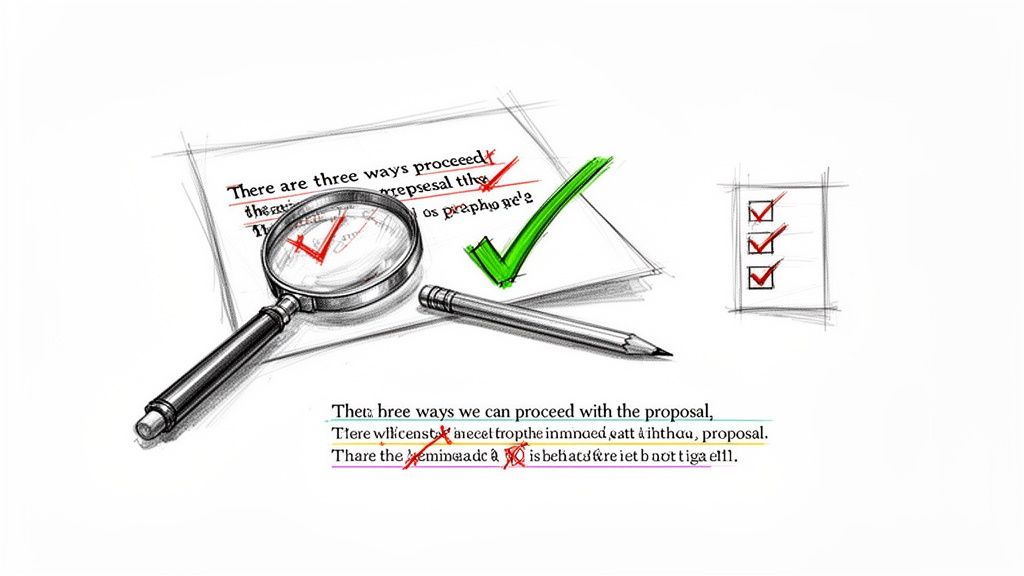
Skipping this step is like publishing a report without a final review. A single error can distract the reader from your core message, making them question your professionalism. A polished, error-free email, in contrast, reinforces your competence, ensures clarity, and demonstrates respect for the recipient’s time and intelligence.
How to Catch Common Errors
To implement this tip, develop a consistent review process. Your goal is to eliminate any mistake that could detract from the email’s purpose.
Error: "Their are three ways we can proceede with the propsal."
Corrected: "There are three ways we can proceed with the proposal."
Error: "The meeting is on Tuesay at 3 PM."
Corrected: "The meeting is on Tuesday at 3 PM."
Error: "I've attached the report for your reivew."
Corrected: "I've attached the report for your review."
These corrections prevent confusion and maintain a professional tone. Catching these small but significant mistakes is key. Avoiding frequently misused words is also a great way to improve your writing and can be explored further. Learn more about commonly misused words and how to use them correctly.
Actionable Tips for Better Proofreading
- Wait before proofreading: Step away for 5-10 minutes after writing to review the email with a fresh perspective.
- Read it aloud: This helps you catch awkward phrasing, typos, and grammatical mistakes your eyes might miss.
- Check proper nouns: Double-check the spelling of names, titles, and company names.
- Use tools wisely: Leverage built-in spell checkers, but don’t rely on them exclusively, as they can miss context-specific errors.
- Get a second opinion: For high-stakes emails, ask a trusted colleague to give it a quick review.
8. Personalize Your Message Without Over-Personalizing
Personalization is a powerful tool in professional email communication that can significantly boost response rates and build rapport. It involves tailoring your message to the specific recipient by referencing their role, shared experiences, or prior conversations. This simple act shows you've done your research and view the recipient as an individual, not just another name on a list. This is one of the more nuanced professional email writing tips, as it requires balancing warmth with professional boundaries.
A personalized email demonstrates genuine interest and respect for the recipient's time and context. Generic, templated messages are easily ignored because they lack a human touch and fail to connect with the reader's specific needs or situation. The goal is to create a message that feels relevant and considerate, encouraging a more thoughtful and engaged response.
How to Personalize Effectively
To master this tip, focus on adding genuine, relevant details that connect your message to the recipient's world without seeming overly familiar or insincere.
Generic Opening: "I hope this email finds you well."
Personalized Opening: "I enjoyed our conversation about content strategy at last week's conference and wanted to follow up."
Vague Pitch: "I think you'd be interested in our services."
Personalized Pitch: "Given your team's recent expansion into video content, I thought you might find our production workflow tool valuable."
Overly Casual (Bad): "Hey bestie, great chatting with you!"
Appropriately Personalized (Good): "Thank you for discussing the proposal last week. I've incorporated your feedback on the timeline adjustments."
These examples show how to ground your email in a specific, shared context. You can use tools like Rewritify to help adapt template emails with personalized details while ensuring the professional tone remains consistent.
Actionable Tips for Balanced Personalization
- Reference specific details: Mention a point from a previous conversation, a recent LinkedIn post, or a company announcement.
- Connect to their role: Show you understand their responsibilities and how your message relates to their professional goals.
- Mention mutual connections: Referencing a shared colleague or project can create an instant sense of familiarity and trust.
- Avoid excessive flattery: Compliments should be genuine and specific, not generic or over-the-top.
- Keep it relevant: Ensure your personalization directly connects to the purpose of your email.
9. Include Relevant Context and Background Information
Context is the essential background information that helps a recipient understand why you are writing, what decisions they need to make, and how your email fits into the bigger picture. Providing insufficient context is a common pitfall in professional email writing tips, leading to confusion, delayed responses, and unnecessary follow-up questions. Your goal is to give just enough information for the reader to act without overwhelming them with irrelevant details.
Sending an email without context is like asking someone for a key without telling them which door it opens. Vague requests such as "Can you approve the budget?" or "The proposal needs changes" force the recipient to stop, search through old emails, and guess what you're referring to. Providing clear, concise context respects their time, prevents miscommunication, and ensures you get the response you need faster.
How to Provide Effective Context
To implement this tip, be brief but specific. Anticipate the questions your reader might have and answer them proactively within your email's opening lines.
Insufficient Context: "Can you approve the budget?"
Appropriate Context: "For the Q2 marketing campaign launching June 1st, I need budget approval for content creation ($5K) and paid advertising ($10K). Could you approve this by Friday so we can lock in vendor contracts?"
Insufficient Context: "The proposal needs changes."
Appropriate Context: "Regarding the New SEO Content Framework proposal I sent yesterday, could you please update Section 3 with the revised keyword list we discussed?"
These professional examples immediately orient the reader by referencing a specific project and timeline. They clarify what is needed, why it's needed, and by when, eliminating the need for a back-and-forth exchange to get basic information.
Actionable Tips for Better Context
- Lead with the "why": Start by explaining why the email is relevant to the recipient and what project or conversation it relates to.
- Reference previous conversations: Briefly mention a past meeting or email thread to jog their memory (e.g., "Following up on our call this morning...").
- Provide just enough detail for decision-making: Include key facts, figures, and deadlines but avoid long-winded histories.
- Link to or attach relevant documents: If more extensive background is needed, attach the document or link to it instead of pasting lengthy text into the email body.
- Ask yourself: "If I received this email with no prior knowledge, would I understand what to do?"
10. Use Proper Email Etiquette and Professional Closing
Proper email etiquette involves the established conventions and courtesies that demonstrate respect, professionalism, and awareness in written communication. It’s the digital equivalent of good manners, encompassing everything from appropriate greetings to timely responses and professional closings. Mastering these norms is a critical component of professional email writing tips, as it prevents misunderstandings and strengthens your professional reputation.
A polished closing is just as important as a strong opening. It leaves a final impression, provides essential contact information, and formally concludes the conversation. Neglecting etiquette, like using overly casual language or failing to sign off properly, can make your message seem unprofessional or disrespectful, potentially damaging relationships with clients, colleagues, and superiors.
How to Apply Proper Email Etiquette
To implement this tip, focus on demonstrating respect for the recipient's time and position. The goal is to make every interaction clear, courteous, and professional from start to finish.
Inappropriate Greeting/Closing: "Yo, check this out" / (no closing)
Professional Greeting/Closing: "Hi Sarah," / "Best regards, [Your Full Name]"
Poor Etiquette: Ignoring a colleague's input and sending a demand.
Good Etiquette: "Thank you for taking the time to review this proposal. I appreciate your thoughtful feedback."
Casual Closing: "Thx, talk soon"
Professional Closing: "Sincerely, [Your Full Name], [Title], [Company], [Contact Information]"
These professional examples acknowledge the recipient, match the level of formality to the relationship, and provide a complete, polished signature. This approach shows you are detail-oriented and respectful.
Actionable Tips for Better Email Etiquette
- Match your tone: Adjust the formality of your greeting and closing to your relationship with the recipient. "Dear Mr. Johnson," is more suitable for a formal introduction than "Hey Tom."
- Acknowledge contributions: Always thank people for their time, feedback, or assistance. A simple "Thank you for your help on this" goes a long way.
- Be timely: Aim to respond to all professional emails within 24-48 business hours, even if it's just to acknowledge receipt and state when you will provide a full reply.
- Use 'Reply All' sparingly: Only use this feature when every person on the original email chain genuinely needs to see your response.
- Always include a professional signature: Your signature should contain your full name, title, company, and essential contact information.
10-Point Professional Email Writing Comparison
| Practice | Implementation complexity | Resource requirements | Expected outcomes | Ideal use cases | Key advantages |
|---|---|---|---|---|---|
| Use a Clear, Professional Subject Line | Low | Minimal time; optional A/B testing or Rewritify | Higher open rates, clearer expectations | External outreach, proposals, priority emails | Increases opens, reduces spam flagging |
| Organize and Format Your Email | Medium | Time, templates, formatting tools (Rewritify helps) | Improved readability, fewer misunderstandings | Reports, long updates, formal requests | Easier scanning, professional presentation |
| Maintain a Professional Tone and Voice | Low–Medium | Style guide or editing tool (Rewritify) | Increased credibility and consistent messaging | Client communications, formal proposals | Builds trust, reduces misinterpretation |
| Write a Compelling Opening Line | Low | Context knowledge, brief drafting or Rewritify | Higher read-through and prioritization | Cold outreach, follow-ups, time-sensitive asks | Captures attention, clarifies purpose quickly |
| Be Concise and Respect the Reader's Time | Medium | Editing time, rewriting tools | Higher completion and response rates | Busy recipients, summaries, CTAs | Respects time, clarifies core message |
| Use Clear Call-to-Action (CTA) | Low | Time, links/calendar invites, concise phrasing | Faster responses, fewer follow-ups | Approvals, scheduling, decisions | Eliminates ambiguity, drives action |
| Proofread and Check for Errors Before Sending | Low–Medium | Time, spell-check, peer review, Rewritify | Fewer errors, stronger professional image | Important or first-time communications | Preserves credibility, avoids miscommunication |
| Personalize Your Message Without Over-Personalizing | Medium | Research (CRM, notes), time, Rewritify | Higher response rates, stronger rapport | Outreach, relationship-building, follow-ups | Increases engagement, shows attention to recipient |
| Include Relevant Context and Background Information | Medium | Time, links/documents, concise judgment | Fewer clarification requests, better decisions | Project updates, decision requests, status reports | Enables informed responses, reduces back-and-forth |
| Use Proper Email Etiquette and Professional Closing | Low | Templates, style guide, Rewritify | Positive impressions, culturally aware exchanges | Formal correspondence, cross-cultural emails | Reinforces professionalism, provides clear contact info |
Elevate Your Emails from Good to Unforgettable
Navigating the landscape of professional communication can feel like learning a new language, but as we've explored, the core principles are refreshingly simple: clarity, respect, and intention. Mastering the art of the professional email isn't about memorizing a rigid set of rules. Instead, it's about developing an intuitive understanding of how to build connections, drive action, and represent yourself effectively in a digital space.
Throughout this guide, we've broken down the essential components that transform a mundane message into a powerful communication tool. From the very first impression set by your subject line to the final, polished sign-off, each element plays a critical role. Remember, a concise, well-structured email respects the recipient's time, while a clear call-to-action ensures your message achieves its purpose. These aren't just arbitrary guidelines; they are the building blocks of efficient and effective professional correspondence.
From Theory to Practice: Cementing Your Skills
The journey from understanding these concepts to implementing them flawlessly requires conscious effort. The most impactful professional email writing tips are those that become second nature. To start, focus on integrating one or two new habits at a time.
- For the next week, obsess over your subject lines. Before hitting send, ask yourself: "Does this subject line clearly and concisely state the email's purpose?"
- Challenge yourself to cut every email's length by 20%. This forces you to eliminate fluff and focus on the core message, a practice that your busy colleagues and clients will undoubtedly appreciate.
- Make proofreading a non-negotiable final step. Read your email aloud or use a text-to-speech tool to catch awkward phrasing and typos that your eyes might otherwise miss.
By actively practicing these techniques, you're not just sending emails; you're building a reputation for being a clear, thoughtful, and professional communicator. Every message you send is a micro-representation of your personal brand. A polished, purposeful email signals competence and attention to detail, while a hastily written one can inadvertently suggest the opposite. The cumulative effect of consistently well-crafted emails is immense, fostering trust and strengthening your professional relationships over time.
The Lasting Impact of Excellent Communication
Ultimately, the goal is to make your emails work for you. A great email can secure a meeting, clarify a complex project detail, resolve a misunderstanding before it escalates, or even land you a job. It is one of the most powerful and frequently used tools in your professional toolkit. As you continue to refine your approach, you will find that your confidence grows, your productivity increases, and the quality of your professional interactions improves dramatically. To truly elevate your communication, consider these additional expert tips to ensure successful emails and further round out your skillset.
The difference between a good email and an unforgettable one lies in the details: the thoughtful personalization, the impeccable formatting, and the crystal-clear intent. By consistently applying the strategies we've discussed, you will not only improve your own efficiency but also contribute to a more productive and respectful communication culture within your network. Start today, and let every email you send be a testament to your professionalism and expertise.
Ready to take the guesswork out of professional writing? Rewritify is your AI-powered assistant for crafting clear, concise, and error-free emails in seconds. From refining your tone to ensuring grammatical perfection, Rewritify helps you apply these expert tips instantly, so every message you send makes the right impression.
Relevant articles

Learn how to correct the sentence with practical grammar tips, proofreading tricks, and clear examples that boost clarity and confidence.
Unlock the secrets of influence with our guide to 10 powerful persuasive writing techniques. Learn ethos, pathos, logos, and more to elevate your copy.
Discover what is text fluency and why it's a game-changer for writers. Learn actionable strategies to make your writing flow and engage readers effortlessly.
Explore formal writing style examples across academic and professional contexts. Learn tone, structure, and vocabulary to write with clarity.
Elevate your writing by mastering the compound sentence semicolon. This guide explains the rules with clear examples to help you connect ideas perfectly.